AI 3D Model Segmentation For Multi-Color Printing
Separate 3D models into clean color parts for multi-color printing with AI-powered segmentation. Beginner and Pro modes available.

'%3e%3cpath%20fill-rule='evenodd'%20clip-rule='evenodd'%20d='M134.584%2023.9998H130.159H125.733H121.309V20V15.9998V12H116.883V15.9998V20V23.9998V27.9997H121.309H125.733H130.159H134.584H139.009V23.9998H134.584Z'%20fill='%23868686'/%3e%3cpath%20fill-rule='evenodd'%20clip-rule='evenodd'%20d='M41.6546%2012H37.2295H32.8041H28.3789V16.0002H32.8041H37.2295V20V23.9999V28H41.6546V23.9999V20V16.0002H46.0797H50.5052V12H46.0797H41.6546Z'%20fill='%23868686'/%3e%3cpath%20fill-rule='evenodd'%20clip-rule='evenodd'%20d='M77.0521%2020C77.0521%2022.209%2075.0709%2023.9999%2072.627%2023.9999H63.7763C61.3322%2023.9999%2059.351%2022.209%2059.351%2020C59.351%2017.791%2061.3322%2016.0002%2063.7763%2016.0002H72.627C75.0709%2016.0002%2077.0521%2017.791%2077.0521%2020ZM72.627%2012H63.7763C58.8883%2012%2054.9258%2015.5816%2054.9258%2020C54.9258%2024.4185%2058.8883%2028%2063.7763%2028H72.627C77.5148%2028%2081.4772%2024.4185%2081.4772%2020C81.4772%2015.5816%2077.5148%2012%2072.627%2012Z'%20fill='%23868686'/%3e%3cpath%20fill-rule='evenodd'%20clip-rule='evenodd'%20d='M108.033%2020C108.033%2022.209%20106.051%2023.9999%20103.607%2023.9999H94.7568C92.3125%2023.9999%2090.3313%2022.209%2090.3313%2020C90.3313%2017.791%2092.3125%2016.0002%2094.7568%2016.0002H103.607C106.051%2016.0002%20108.033%2017.791%20108.033%2020ZM103.607%2012H94.7568C89.8686%2012%2085.9062%2015.5816%2085.9062%2020C85.9062%2024.4185%2089.8686%2028%2094.7568%2028H103.607C108.495%2028%20112.457%2024.4185%20112.457%2020C112.457%2015.5816%20108.495%2012%20103.607%2012Z'%20fill='%23868686'/%3e%3cpath%20fill-rule='evenodd'%20clip-rule='evenodd'%20d='M10.4151%2015.7575L6.25813%2012H0L7.28598%2018.586L10.4151%2015.7575Z'%20fill='%23868686'/%3e%3cpath%20fill-rule='evenodd'%20clip-rule='evenodd'%20d='M22.9317%2012.9289L23.9593%2012H17.7012L0%2028H6.25813L11.9796%2022.8283L17.7012%2028H23.9593L15.1087%2020L22.9317%2012.9289Z'%20fill='%23868686'/%3e%3c/g%3e%3cdefs%3e%3cclipPath%20id='clip0_12205_287635'%3e%3crect%20width='139'%20height='40'%20fill='white'/%3e%3c/clipPath%3e%3c/defs%3e%3c/svg%3e)


'%3e%3cmask%20id='mask0_12205_287658'%20style='mask-type:luminance'%20maskUnits='userSpaceOnUse'%20x='0'%20y='0'%20width='35'%20height='40'%3e%3cpath%20d='M0%200H34.4828V40H0V0Z'%20fill='white'/%3e%3c/mask%3e%3cg%20mask='url(%23mask0_12205_287658)'%3e%3cpath%20fill-rule='evenodd'%20clip-rule='evenodd'%20d='M0%2035.8281H34.4828V40.005H0.000332631L0%2035.8281Z'%20fill='%23868686'/%3e%3c/g%3e%3cpath%20fill-rule='evenodd'%20clip-rule='evenodd'%20d='M7.92524%209.43164L2.12891%2026.857H6.32561L10.2626%2014.5402L12.2359%2020.698H9.68329L8.6639%2024.2132H13.3623L14.2095%2026.857H18.5262L12.7305%209.43164H7.92524Z'%20fill='%23868686'/%3e%3cpath%20fill-rule='evenodd'%20clip-rule='evenodd'%20d='M25.1269%209.43164H19.1016V26.857H23.2683V12.9469H24.9474C26.8955%2012.9469%2028.0048%2013.878%2028.0048%2015.5605C28.0048%2017.213%2026.8955%2018.1744%2024.9474%2018.1744H24.6776V21.6895H25.1269C29.6234%2021.6895%2032.2613%2019.421%2032.2613%2015.5605C32.2613%2011.6248%2029.6234%209.43164%2025.1269%209.43164Z'%20fill='%23868686'/%3e%3c/g%3e%3cdefs%3e%3cclipPath%20id='clip0_12205_287658'%3e%3crect%20width='34.4828'%20height='40'%20fill='white'/%3e%3c/clipPath%3e%3c/defs%3e%3c/svg%3e)




'%3e%3cg%20clip-path='url(%23clip1_12205_287708)'%3e%3cpath%20d='M22.0949%207.95711L9.99381%2020.0582L4.01743%2014.0776L9.92599%208.16904L8.04831%206.28711L0.257812%2014.0776L9.99381%2023.8136L23.9726%209.83479L22.0949%207.95711Z'%20fill='%23868686'/%3e%3cpath%20d='M9.99031%2024.0726L0%2014.0865L8.05329%206.0332L10.1726%208.15249L4.26824%2014.0865L9.99031%2019.8086L22.0914%207.7032L24.2107%209.82249L9.99031%2024.0726ZM0.508629%2014.0865L9.99031%2023.5597L23.736%209.84792L22.0914%208.21183L9.99031%2020.3129L3.75961%2014.0865L9.66818%208.15249L8.05329%206.54183L0.508629%2014.0865Z'%20fill='%23868686'/%3e%3cpath%20d='M10.1891%2030.2925L0.902344%2021.0525L11.7234%2010.0703L13.6181%2011.931L4.645%2021.0313L10.1891%2026.5329L25.4776%2011.2571L27.3553%2013.1348L10.1891%2030.2925Z'%20fill='%23868686'/%3e%3cpath%20d='M25.4858%2011.0035L10.1973%2026.2624L4.90754%2021.032L13.8806%2011.9318L11.7274%209.8125L0.65625%2021.0532L10.1973%2030.5476L27.622%2013.1355L25.4858%2011.0035ZM10.1973%2030.039L1.16488%2021.049L11.7316%2010.3254L13.372%2011.936L4.39891%2021.0362L10.1973%2026.8007L25.4858%2011.5418L27.1304%2013.1355L10.1973%2030.039Z'%20fill='%23868686'/%3e%3cpath%20d='M13.3012%2033.7743L11.4023%2031.9093L22.7109%2020.4609L24.6055%2022.3259L13.3012%2033.7743Z'%20fill='%23868686'/%3e%3cpath%20d='M22.6992%2020.207L11.1406%2031.9097L13.2938%2034.029L24.8524%2022.3263L22.6992%2020.207ZM13.2896%2033.5204L11.6535%2031.9097L22.7034%2020.7157L24.3395%2022.3306L13.2896%2033.5204Z'%20fill='%23868686'/%3e%3cpath%20d='M37.0543%2022.8143C37.1051%2024.4589%2037.1051%2024.4589%2035.2783%2024.5479H28.9883V27.9388H36.711C38.5886%2027.9388%2039.5889%2027.6845%2040.2205%2027.0656C40.852%2026.4468%2041.0682%2025.5101%2041.0682%2023.7935V12.1289H37.05L37.0543%2022.8143Z'%20fill='%23868686'/%3e%3cpath%20d='M48.3622%2012.1289H44.3906V27.9261H48.3622V12.1289Z'%20fill='%23868686'/%3e%3cpath%20d='M59.1441%2022.8143C59.1992%2024.4589%2059.1992%2024.4589%2057.3724%2024.5479H51.0781V27.9388H58.805C60.6827%2027.9388%2061.6788%2027.6845%2062.3103%2027.0656C62.9419%2026.4468%2063.158%2025.5101%2063.158%2023.7935V12.1289H59.1272L59.1441%2022.8143Z'%20fill='%23868686'/%3e%3cpath%20d='M70.452%2012.1289H66.4805V27.9261H70.452V12.1289Z'%20fill='%23868686'/%3e%3cpath%20d='M79.4433%2023.8887H75.2344V27.8856H79.4433V23.8887Z'%20fill='%23868686'/%3e%3cpath%20d='M87.2098%2022.9839V17.7153C87.2098%2015.8588%2087.5531%2015.524%2089.3927%2015.4901H97.5901V12.1289H88.8035C86.3748%2012.1289%2085.578%2012.362%2084.5438%2013.2691C83.6706%2014.0447%2083.2722%2015.1044%2083.2383%2016.8168V23.8655C83.3188%2026.9597%2084.5099%2027.9091%2088.3246%2027.9261H97.6198V24.5352H89.3969C87.4218%2024.5267%2087.2437%2024.2767%2087.2098%2022.9839Z'%20fill='%23868686'/%3e%3cpath%20d='M109.667%2012.1289H104.945C101.198%2012.1289%2099.6893%2013.57%2099.5664%2017.2661V23.2001C99.5664%2024.6836%2099.9013%2025.9212%20100.478%2026.5909C101.13%2027.375%20102.491%2027.9218%20103.78%2027.9218H110.536C113.689%2027.8455%20115.016%2026.468%20115.118%2023.1661V17.2067C115.097%2013.5361%20113.672%2012.2052%20109.667%2012.1289ZM111.053%2017.8637V22.3947C111.053%2024.3106%20110.841%2024.514%20108.985%2024.5479H105.263C104.449%2024.5479%20104.068%2024.4547%20103.86%2024.2385C103.652%2024.0223%20103.563%2023.5264%20103.606%2022.4922V17.9442C103.644%2015.8843%20103.949%2015.541%20105.772%2015.4901H108.934C109.781%2015.4901%20110.286%2015.6342%20110.608%2015.9521C110.93%2016.27%20111.087%2016.8888%20111.053%2017.8637Z'%20fill='%23868686'/%3e%3cpath%20d='M128.305%2012.1289L125.842%2021.5809L122.989%2012.1289H117.445V27.9261H121.239V18.9064L123.833%2027.9261H127.821L130.335%2018.7538V27.9261H134.171V12.1289H128.305Z'%20fill='%23868686'/%3e%3c/g%3e%3c/g%3e%3cdefs%3e%3cclipPath%20id='clip0_12205_287708'%3e%3crect%20width='134'%20height='40'%20fill='white'/%3e%3c/clipPath%3e%3cclipPath%20id='clip1_12205_287708'%3e%3crect%20width='134.168'%20height='28'%20fill='white'%20transform='translate(0%206.0332)'/%3e%3c/clipPath%3e%3c/defs%3e%3c/svg%3e)
'/%3e%3c/g%3e%3c/svg%3e)
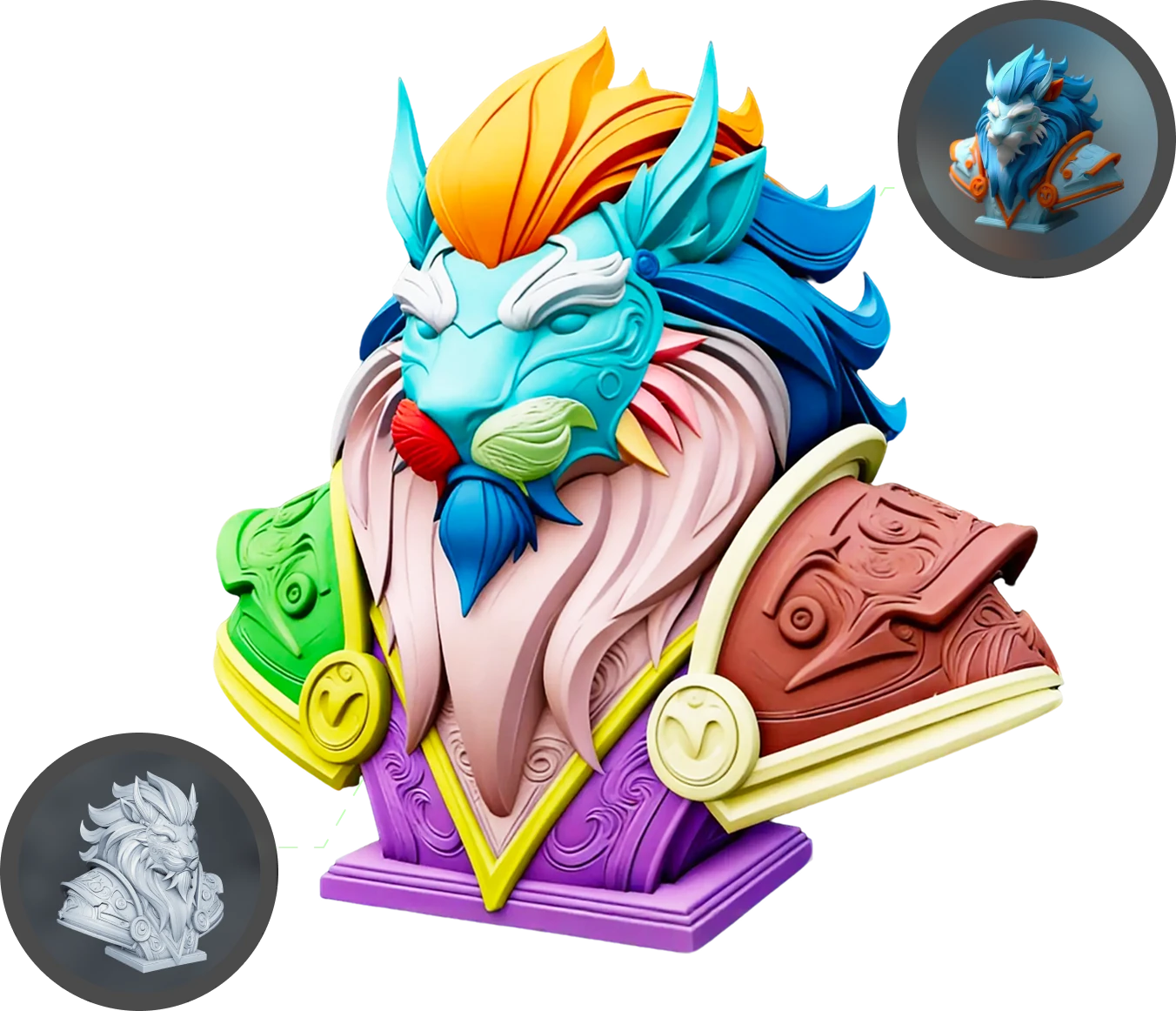
What You Get with Multi-Color Model Segmentation
Production-ready 3D models with clean geometry.
Flexible Modes for Every Skill Level
Choose the workflow that fits your needs. Beginner Mode — no setup required, just upload and get segmentation results instantly. Professional Mode — full control with interactive tools for precision editing.
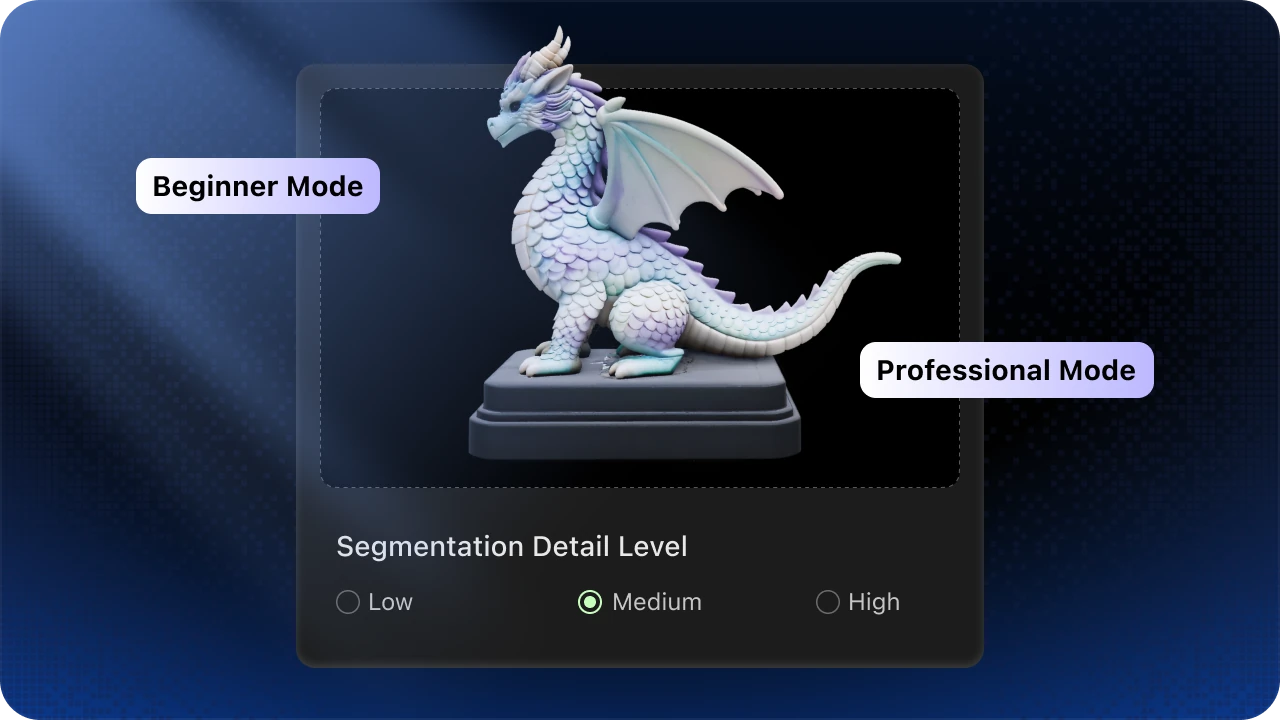
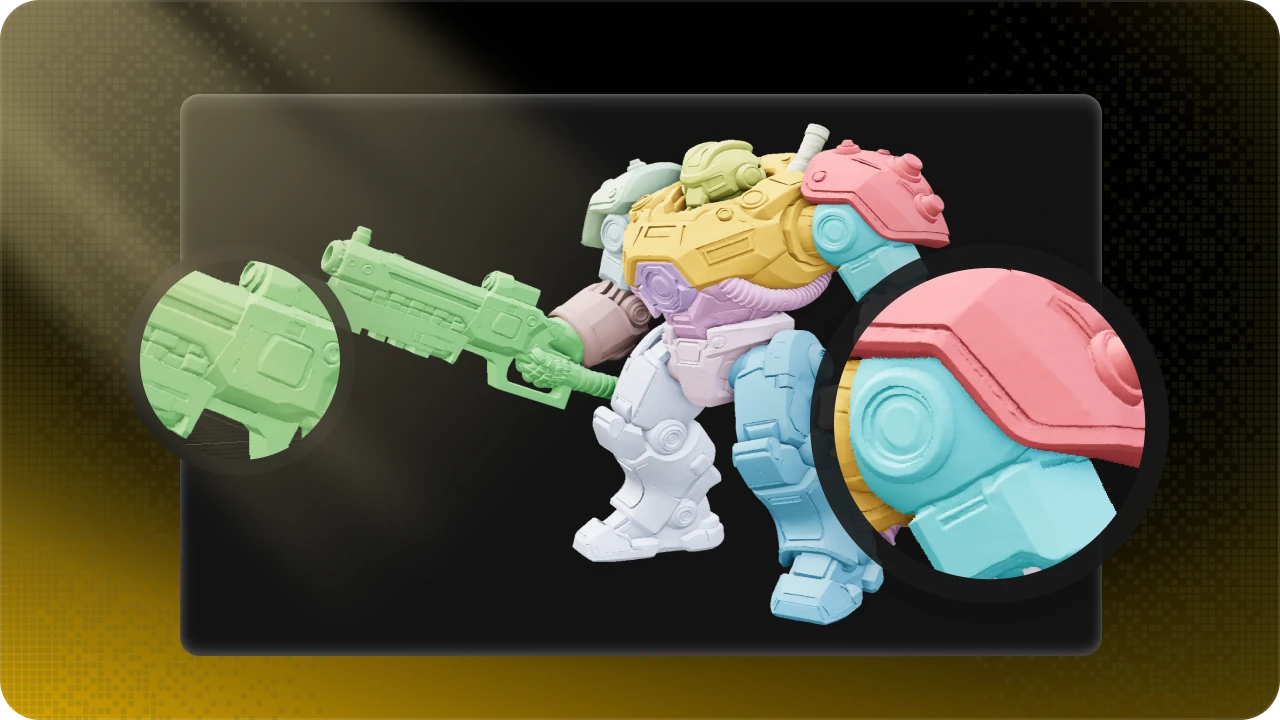
Smarter Segmentation with Clean Boundaries
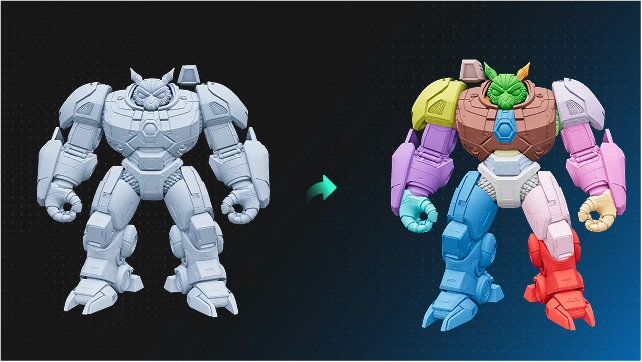
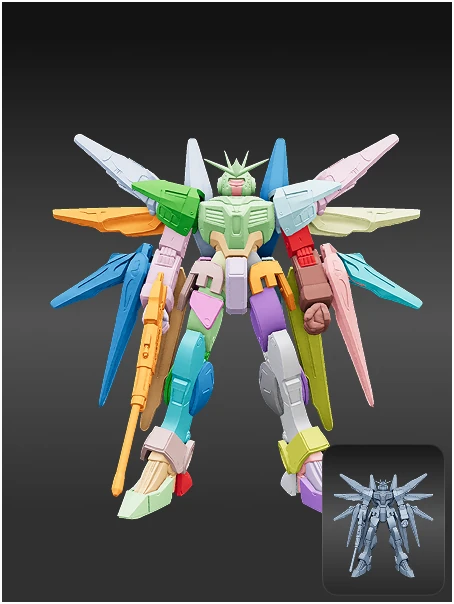
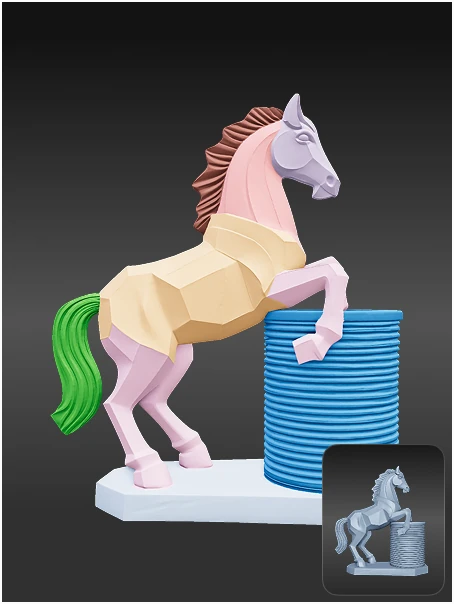
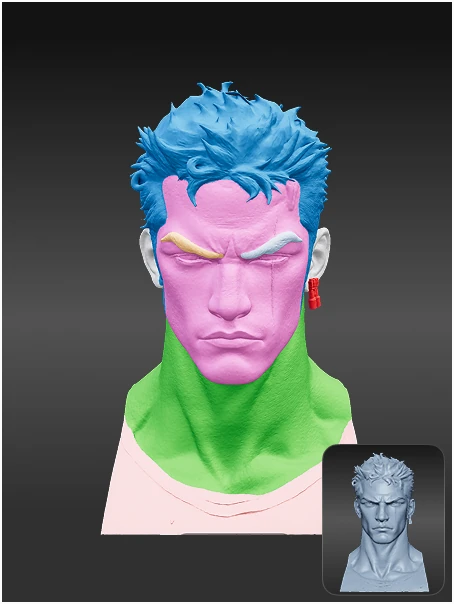
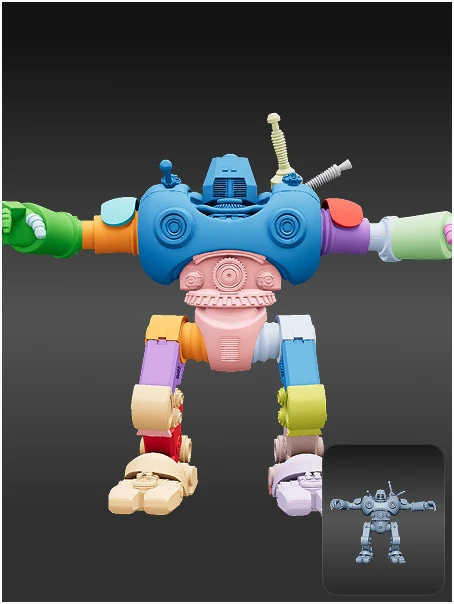
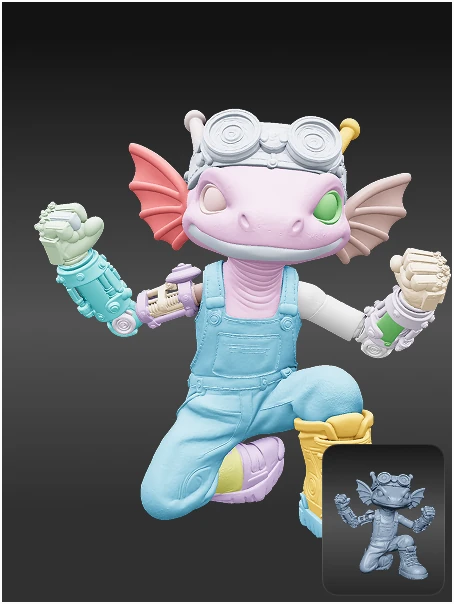
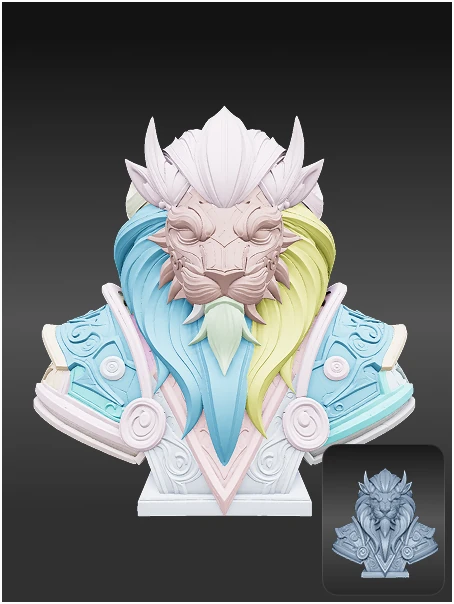
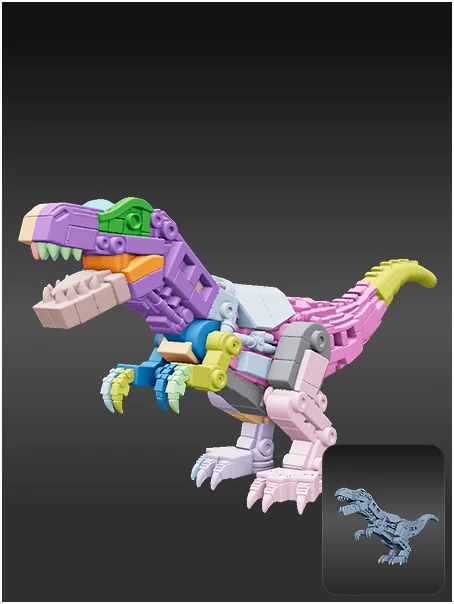
Segment models based on semantic understanding, so different parts are recognized more naturally and separated more accurately. Clear color boundaries help deliver results that look right and are easier to refine.
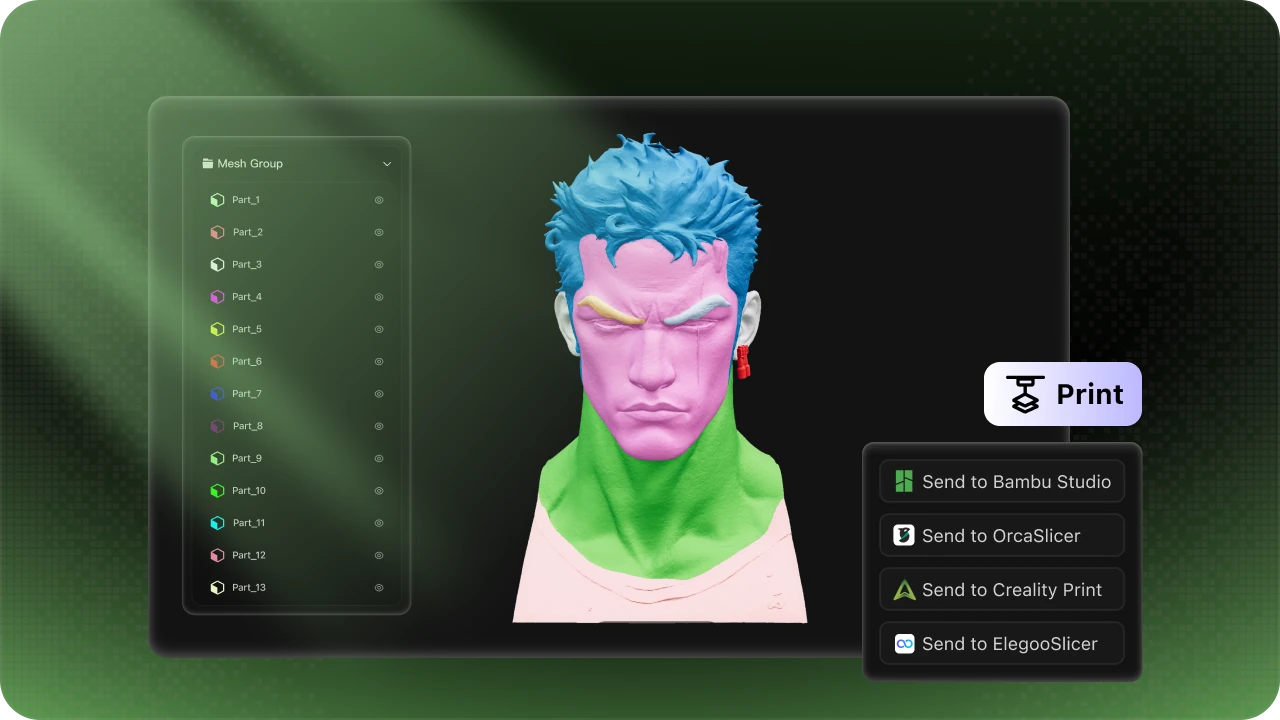
Built for Multi-Color 3D Printing
Go from segmented model to print-ready output with a workflow designed for multi-color production. Export your results smoothly into the printing process and achieve clean, reliable color separation in the final print.
See It in Action
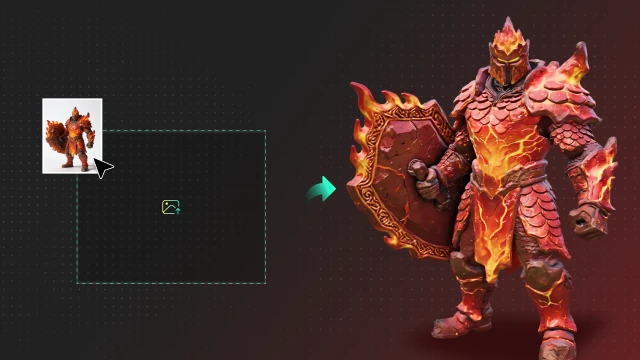
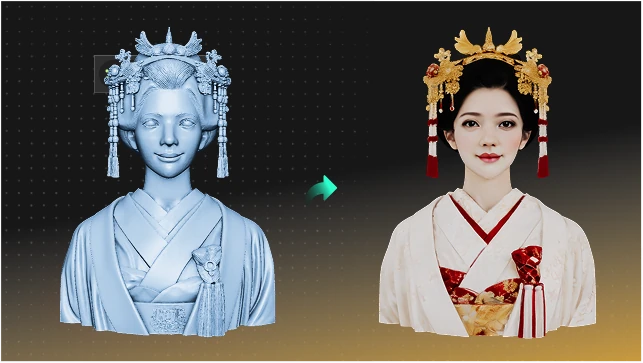
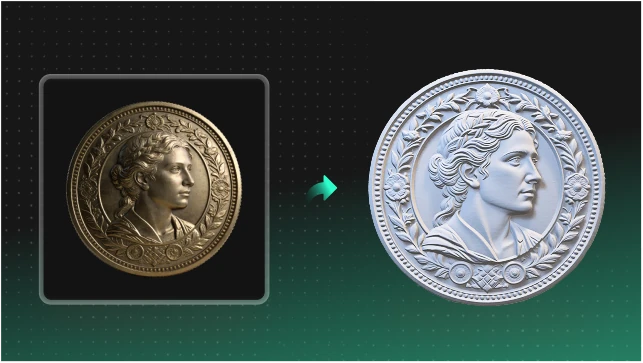
Explore real examples of how complex 3D models are segmented into clean, print-ready color regions.
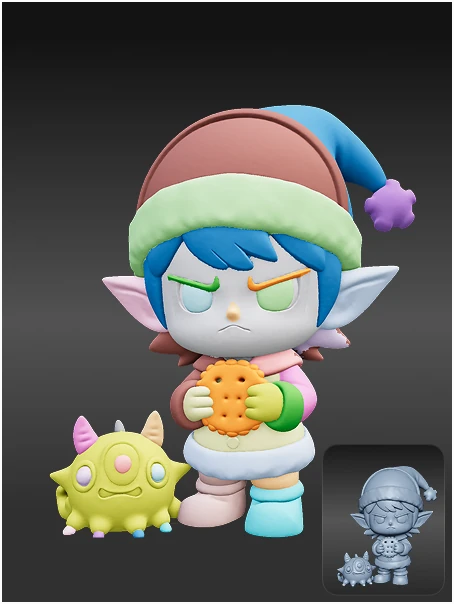
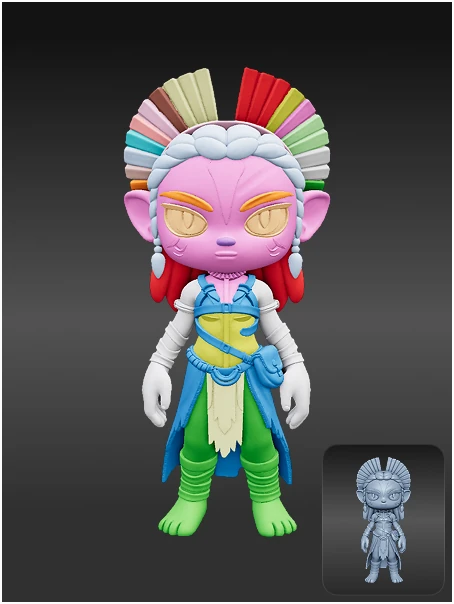
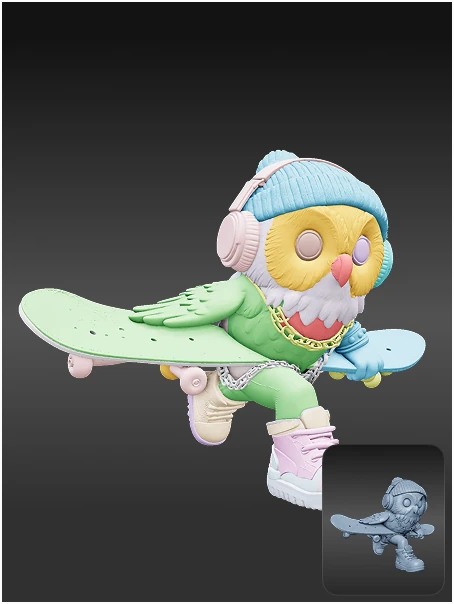
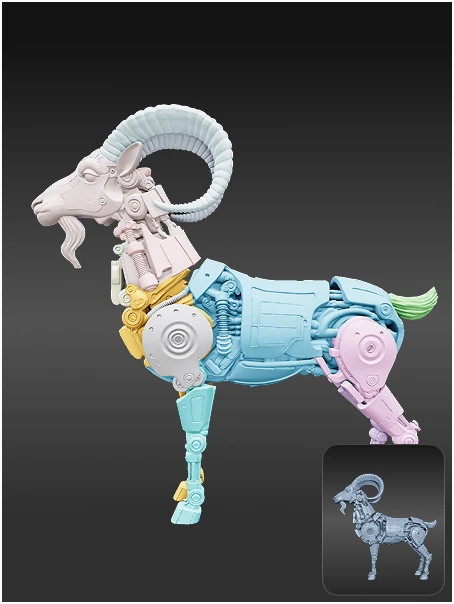
How It Works
A simple workflow for clean, controllable, print-ready segmentation
Upload Your 3D Model
Upload an OBJ, STL, or GLB file directly from your computer or choose from your recent assets.
Trusted by Creators Worldwide
Used by makers, artists, and engineers from 50+ countries to create real, production-ready 3D

The color boundaries came out much cleaner than I expected, and it saved me a lot of manual work before printing.

Beginner Mode made it easy to get started, and the segmentation result was already clear enough for quick review.

Professional Mode gives me the control I need, while semantic segmentation provides a strong and accurate starting point.

The model parts were separated more naturally, which is exactly what I need for multi-color figurine production.

I could go from model to print-ready result much faster without dealing with complicated manual setup.
The color boundaries came out much cleaner than I expected, and it saved me a lot of manual work before printing.
Beginner Mode made it easy to get started, and the segmentation result was already clear enough for quick review.
Professional Mode gives me the control I need, while semantic segmentation provides a strong and accurate starting point.
The model parts were separated more naturally, which is exactly what I need for multi-color figurine production.
I could go from model to print-ready result much faster without dealing with complicated manual setup.
The boundary quality stood out right away. It made refinement and export much more efficient.

The color regions were separated more naturally, which made collectible design much easier to prepare for printing.

Beginner Mode made the workflow easy to follow, and the final segmentation was clean enough to print with confidence.

It gave me a fast starting point with clear structure, which saved time during review and refinement.

Clean boundaries made a noticeable difference. I spent much less time fixing details before export.
The boundary quality stood out right away. It made refinement and export much more efficient.
The color regions were separated more naturally, which made collectible design much easier to prepare for printing.
Beginner Mode made the workflow easy to follow, and the final segmentation was clean enough to print with confidence.
It gave me a fast starting point with clear structure, which saved time during review and refinement.
Clean boundaries made a noticeable difference. I spent much less time fixing details before export.
Related Recommendations
Explore tips, use cases, and insights to improve your 3D workflow and stay inspired.



FAQ
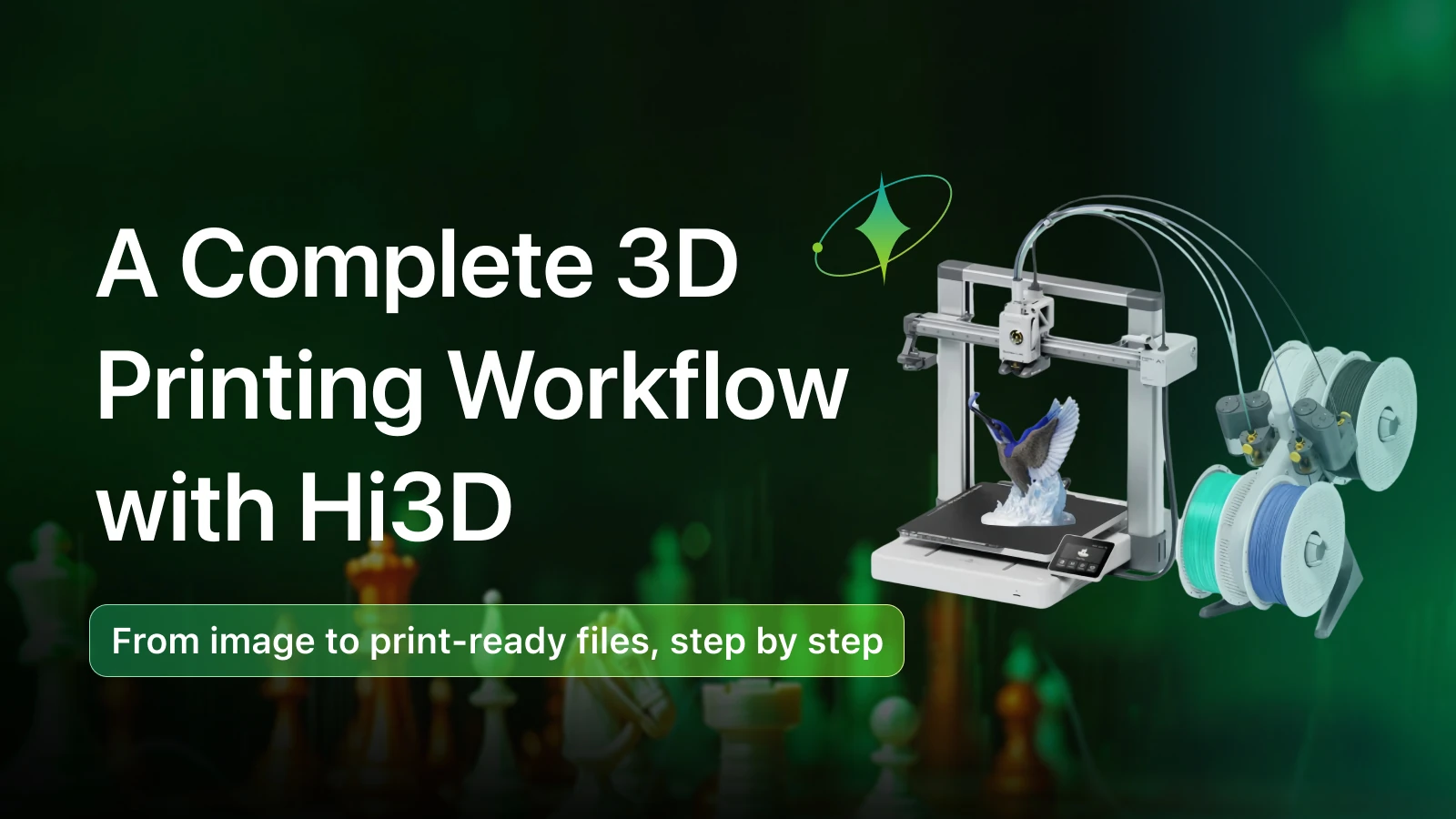
Hi3D is an AI-powered platform for creating production-ready 3D models from images, with tools for segmentation, texturing, retopology, and multi-color 3D printing.
Hi3D combines AI-powered generation with professional editing tools. Generate 3D models from a single image, segment them into multi-color parts, and export directly to your preferred slicer — all in one platform.
Hi3D supports importing OBJ, STL, and GLB files. You can export segmented models in these same formats, optimized for multi-color 3D printing workflows.
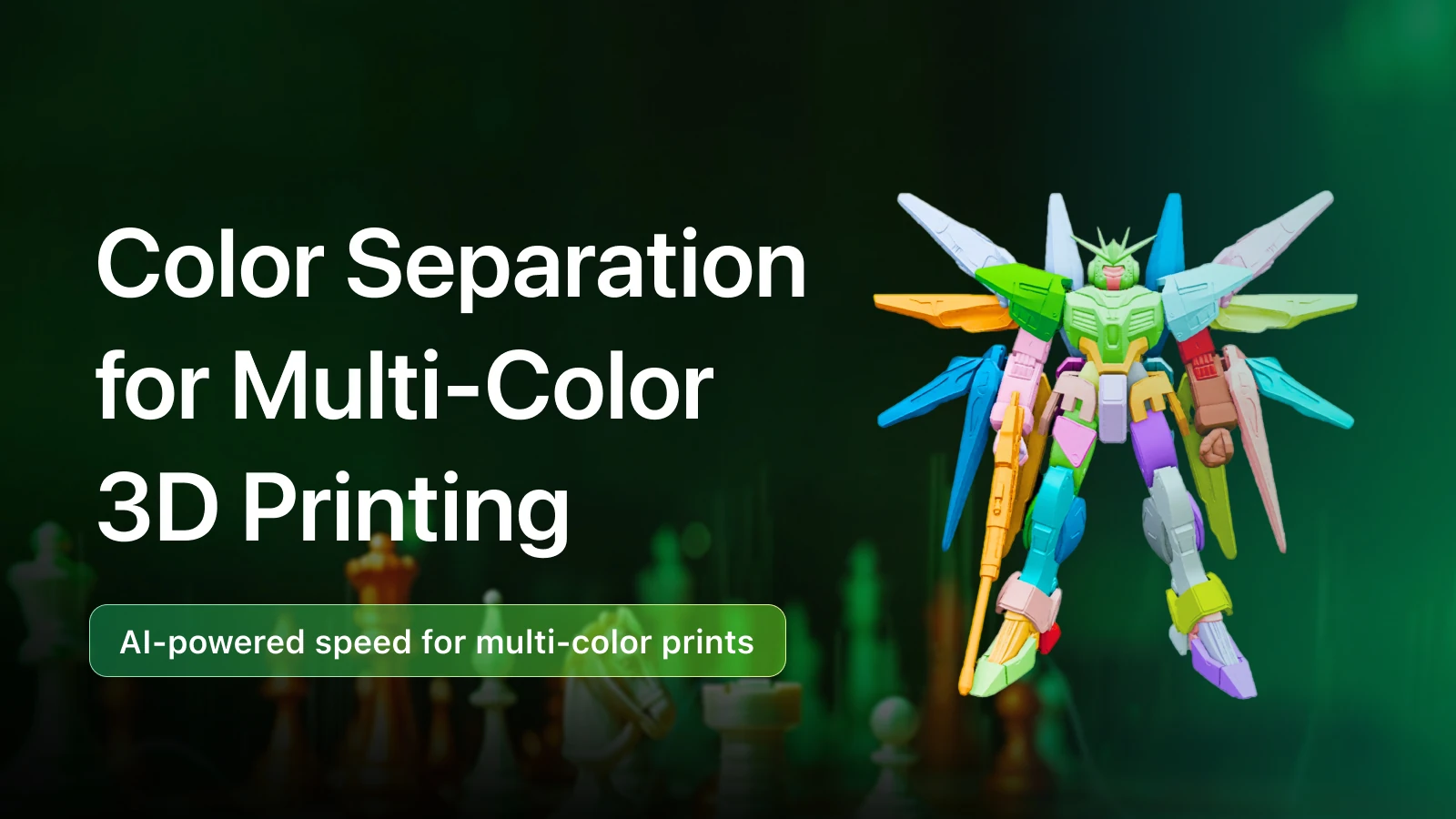
Multi-Color Model Segmentation uses AI to automatically separate a 3D model into distinct color regions. Each region can be printed in a different color, making it ideal for multi-color 3D printers.
Beginner Mode requires no setup — simply upload your model and get instant segmentation results. Professional Mode gives you full interactive control with precision editing tools for fine-tuning the segmentation.
Yes! You can export your segmented model and send it directly to popular slicers including Bambu Studio, OrcaSlicer, Creality Print, and ElegooSlicer for seamless multi-color printing.

Turn Any Idea into Production-Ready 3D
Explore More Creative Features
Jump straight into creative space features