Home/Hitem3D FAQ/How can you use edge loops to define character features like eyes and mouth?

How can you use edge loops to define character features like eyes and mouth?

Edge loops outline 3D model features, ensuring smooth deformation for animatable characters, with tips for beginners.

How can you use edge loops to define character features like eyes and mouth?

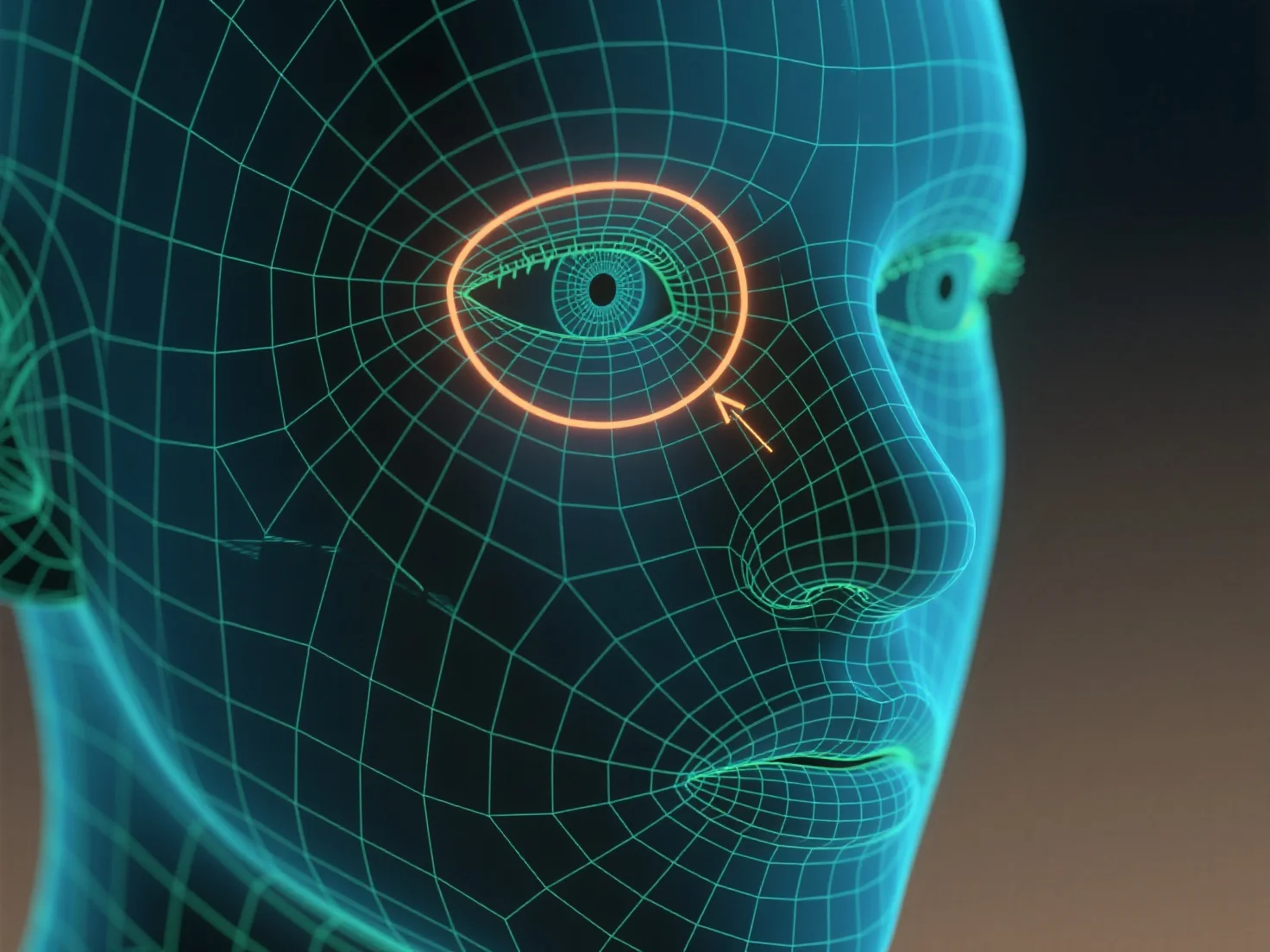
Edge loops are used to outline contours and control mesh deformation when defining character features like eyes and mouth.

Edge loops, continuous rings of edges around a 3D model, follow the natural curves of features—such as the circular shape of eyes or the curved outline of a mouth—to shape their geometry. This structure ensures the mesh deforms smoothly during character movements (e.g., blinking, smiling) by distributing tension evenly along the loops.

For beginners, start with simple edge loops around the eye socket and lip line, then adjust loop density to match feature detail, helping build clear, animatable facial features.

PreviousNext
产品
Web 工作室
API 平台
功能
图片转 3D
多视图转 3D
浮雕
分割
模型
通用模型
人像模型
资源
博客
常见问题
API 文档
关于我们
定价