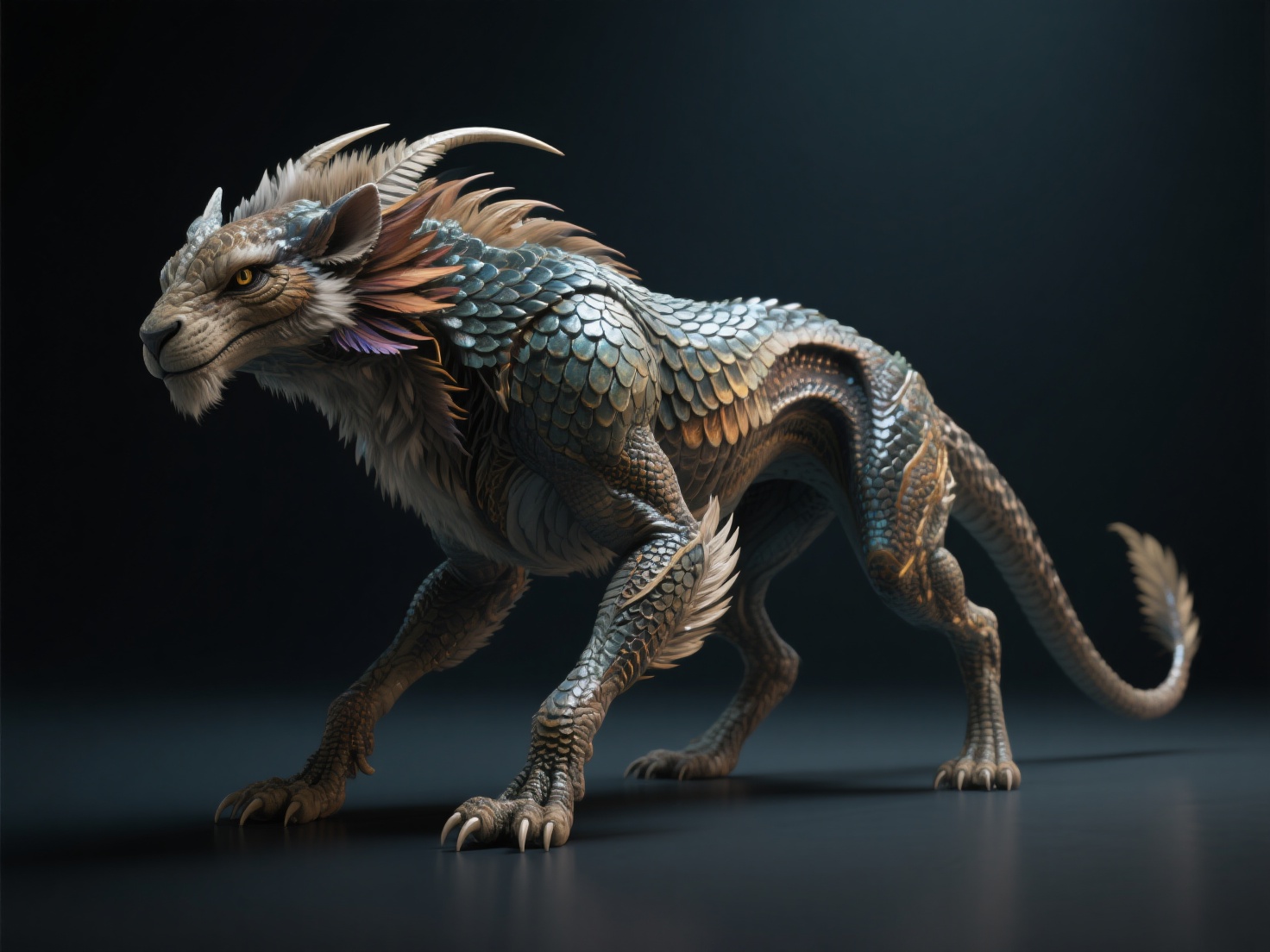
The realm of digital artistry is boundless, but few disciplines are as captivating as bringing mythical beasts and imaginary worlds to life. Whether you are crafting a terrifying dragon for a next-gen RPG or an endearing alien companion for a cinematic masterpiece, creature art 3D sits at the exciting intersection of boundless imagination and strict anatomical science.
For 3D artists and digital sculptors, staring at a blank digital sphere can be intimidating. Balancing otherworldly concepts with realistic, believable proportions requires a deep understanding of design, biology, and advanced software tools. In this comprehensive guide, we will explore the core design principles, anatomical foundations, and practical techniques required to master fantasy 3D art.
What is Creature and Fantasy 3D Art?
Creature art 3D is the specialized discipline of conceptualizing, modeling, texturing, and rendering fictional biological entities and fantasy characters in a three-dimensional digital space.
Unlike hard-surface modeling which focuses on mechanical objects, creature sculpting requires a profound understanding of organic forms. It blends the creativity of fantasy character design with the scientific logic of real-world biology. A successful fantasy 3D creature is not just a visual spectacle; it is a believable entity whose anatomy implies its weight, habitat, diet, and evolutionary history.
Core Design Principles for Fantasy Character Design
To create creatures that resonate with audiences, you must move beyond simply mashing up random animal parts. Exceptional fantasy character design relies on three foundational pillars.
1. Believability Through Anatomical Logic
The golden rule of creature art 3D is that form follows function. Even the most bizarre monster must obey the laws of physics and biology.
- Skeletal Foundation: Start by designing the skeleton. Does the creature walk on two legs (bipedal) or four (quadrupedal)? The bone structure dictates the placement of joints and the creature’s range of motion.
- Muscular Structure: Muscles connect bones and drive movement. By studying real-world animal anatomy—like the powerful chest of a gorilla or the sleek leg muscles of a cheetah—you can create realistic muscle mass that supports the creature’s intended movements.
- Fat and Skin: The way skin hangs over bone and fat accumulates determines the final silhouette. A creature from a cold environment will need thick fat layers, while a desert predator might be lean and sinewy.
2. Creating Hybrid Creatures and Strong Silhouettes
When designing hybrid creatures (like a Gryphon combining an eagle and a lion), seamless integration is key. Avoid the “pasted-together” look by finding common anatomical denominators. Blend the scale-to-fur or feather-to-skin transitions naturally using overlapping muscular forms.
Furthermore, always check your creature’s silhouette. A strong, distinct silhouette ensures that the creature is instantly recognizable, even in total shadow.
3. Conveying Personality and Storytelling
Your fantasy 3D art should tell a story before the character even moves. Scars suggest a violent past; asymmetrical features can imply mutations or aging. The posture—whether slouched and aggressive or upright and proud—instantly communicates the creature’s personality to the viewer.
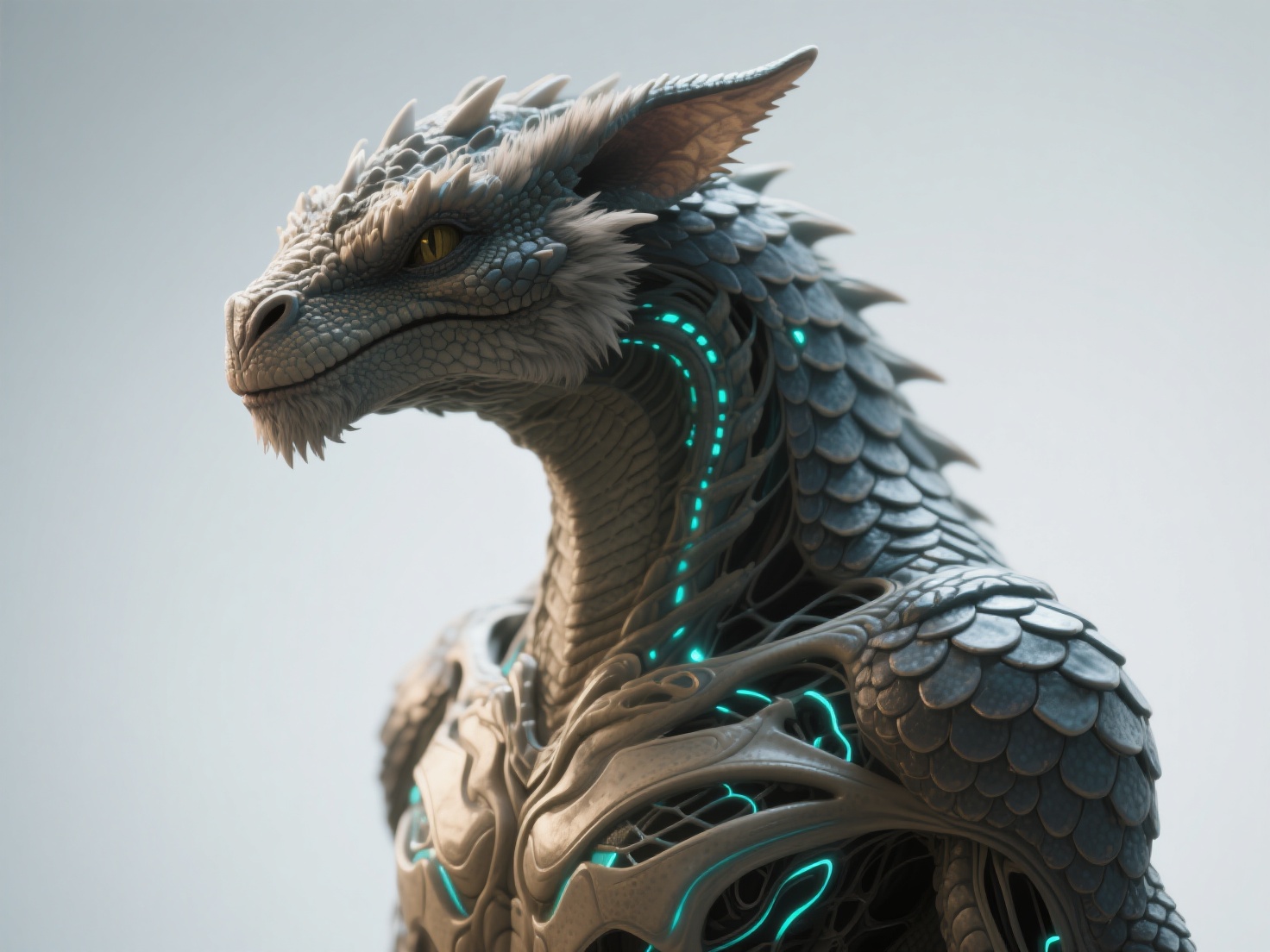
Advanced Creature Sculpting Techniques
Once the concept is solid, bringing it to life requires technical mastery in your 3D sculpting software (such as ZBrush, Blender, or Mudbox).
Mastering Skin, Scales, and Fur
Surface detailing breathes life into a base mesh. The texture of a creature communicates its environment and nature.
- Scales and Reptilian Skin: Instead of hand-sculpting every scale, use Vector Displacement Meshes (VDMs) or custom alpha brushes. Layer different sizes of scales, placing larger, rigid scales along the spine and smaller, flexible scales around joints like elbows and knees to allow for movement.
- Fur and Feathers: For pre-rendered film assets, XGen or Blender particle hair is standard. For games, artists often use “hair cards”—polygons with hair textures applied via alpha channels.
- Bioluminescence and Slime: For deep-sea or alien creatures, incorporating emissive materials (bioluminescence) and adjusting the roughness maps for a wet, specular sheen adds incredible depth to the render.
Fantasy Armor and Clothing Design
Many fantasy creatures, such as orcs or intelligent alien races, wear armor or clothing. When integrating these elements into creature sculpting, ensure the gear accommodates the creature’s anatomy. Spiked shoulder pads shouldn’t clip into a creature’s horns, and straps must realistically wrap around their unique muscular forms.
Stylized vs. Realistic Approaches
Your sculpting technique will vary heavily based on the art direction of the project.
| Feature | Realistic Creature Art | Stylized Fantasy Art |
|---|---|---|
| Proportions | Rooted in real-world anatomy | Exaggerated (e.g., oversized heads/hands) |
| Surface Detail | High-frequency micro-details (pores, wrinkles) | Smooth, clean surfaces; planar forms |
| Textures | PBR (Physically Based Rendering), complex materials | Hand-painted, flat colors, gradient maps |
| Silhouette | Complex, realistic lighting interactions | Bold, graphic, easily readable shapes |
Where Creature Art 3D Comes to Life (And How AI Accelerates It)
Fantasy 3D art is the backbone of multiple entertainment and manufacturing industries:
- Game Development: Creating boss monsters, rideable mounts, and alien NPCs.
- Film and VFX: Designing highly detailed, cinematic kaijus and magical beasts.
- 3D Printing & Tabletop: Producing detailed miniatures for Dungeons & Dragons or physical art sculptures.
The Role of AI in Accelerating Creature Workflows
Traditionally, transitioning from a 2D concept sketch to a fully realized 3D base mesh takes days of tedious blocking and retopology. This is where AI-driven tools are revolutionizing the industry.
As a next-generation AI-powered 3D model generator, Hitem3D serves as an incredible asset for creature artists. If you have a piece of 2D concept art for a fantasy beast, you can use Hitem3D’s Image to 3D feature to instantly generate a production-ready base model.
Built on its in-house Sparc3D (high precision) and Ultra3D (high efficiency) models, Hitem3D excels at organic forms. Its unique Invisible Parts technology intelligently reconstructs the hidden or invisible structures of a creature based on a single image. This means even if your concept art only shows the front of a dragon, Hitem3D will logically generate its back, wings, and tail with clean geometry.
For artists moving into detailing, Hitem3D supports resolutions up to 1536³ Pro, yielding up to 2 million polygons—perfect for immediate import into ZBrush for high-resolution creature sculpting.
Best Practices for Exceptional Fantasy 3D Art
To elevate your fantasy character design and sculpting workflows, keep these actionable tips in mind:
- Gather Extensive References: Never sculpt from memory. Create a mood board filled with real-world animals, macro photography of insect carapaces, and skeletal diagrams. PureRef is an excellent tool for this.
- Work from Big to Small: Establish the primary forms (silhouette and proportions) first. Move to secondary forms (muscles and fat) only when the base is solid. Save tertiary details (pores, wrinkles, and micro-scales) for the very end.
- Prioritize Clean Topology: If your creature is destined for animation or games, ensure the edge flow around joints (shoulders, knees, jaw) allows for deformation without stretching the textures.
- Master PBR Texturing: Utilize true Physically Based Rendering. If you are using AI to assist with base colors, tools like Hitem3D’s AI Texturing provide 4K resolution PBR-ready textures. More importantly, its De-Lighted Texture processing intelligently removes baked-in lighting and shadows, providing true relightable materials essential for Unreal Engine or Unity.
- Consider the Environment: A creature’s design must reflect its habitat. Add environmental storytelling elements—like dirt in the crevices of scales, or moss growing on the shell of a forest beast.
Elevate Your Fantasy 3D Art Workflow
Mastering creature art 3D is a lifelong journey of studying nature and expanding your imagination. By grounding your fantasy character design in real-world anatomical logic, focusing on strong silhouettes, and mastering surface techniques like scales and fur, you can create digital beasts that truly breathe.
However, the technical hurdles of creating base meshes and UV mapping shouldn’t bottleneck your creativity. Integrating AI into your pipeline allows you to focus on what matters most: the artistry.
Hitem3D is trusted by creators in 50+ countries to streamline this exact process. Whether you need a high-fidelity base mesh for digital sculpting, Multi-Color Model Segmentation for 3D printing, or a 3D Relief generator for physical art, Hitem3D delivers. With its Free Retry system, you can experiment with different creature iterations without burning through credits. Once generated, you can export your creature in GLB, OBJ, STL, FBX, or USDZ formats, or use the one-click direct send to Bambu Studio and OrcaSlicer for seamless 3D printing.
Stop staring at a blank canvas and bring your wildest creature concepts to life in minutes.
Frequently Asked Questions (FAQ)
What is the best software for creature sculpting?
ZBrush is the industry standard for high-resolution creature sculpting due to its ability to handle millions of polygons easily. Blender is an excellent, free alternative that offers robust sculpting, modeling, and rendering tools. Substance 3D Painter is highly recommended for texturing.
How do I start with fantasy character design if I can’t draw?
You don’t need to be a master 2D illustrator to create great 3D concepts. Start by gathering reference photos of real animals and use photobashing techniques to merge them. Alternatively, you can use AI image generators to create 2D concepts, and then use platforms like Hitem3D to convert those concepts into 3D base meshes to begin your sculpt.
Why does my 3D creature look stiff or unnatural?
Stiffness usually stems from a lack of anatomical understanding or perfectly symmetrical poses. Ensure you study real skeletal and muscular systems. Furthermore, always pose your creature with an asymmetrical, dynamic stance (often called the “A-pose” or putting the character in an action pose) before final rendering to break up the rigid digital feel.
Can I 3D print the creatures I design?
Absolutely. Fantasy 3D art is incredibly popular in the 3D printing and tabletop gaming communities. To prepare a creature for printing, ensure the mesh is “watertight” (manifold), thicken any fragile parts (like thin wings or teeth), and export it as an STL or OBJ. Tools with seamless slicer integration, like Hitem3D, can automate much of this prep work.