The field of architecture is undergoing a massive transformation. The days of relying solely on static, manual drafting are fading, making way for dynamic, data-driven methodologies. For modern architecture students and forward-thinking designers, mastering parametric architecture is no longer just an option—it is a necessity.
This comprehensive guide will explore the fundamentals of computational design architecture, breaking down how parameters, algorithms, and advanced software tools are empowering architects to create innovative, complex, and highly optimized forms. We will also explore how integrating AI workflows can further streamline your design process.
What is Parametric Architecture?
Parametric architecture is a design approach where the relationship between elements is used to manipulate and inform the design of complex geometries and structures.
To secure a deeper understanding, it helps to compare it to traditional methods. In traditional CAD drafting, a wall is a static object; if you need to change its height, you manually redraw or stretch it. In parametric design, the wall is defined by a set of rules (parameters)—such as its relationship to the floor, ceiling, and structural grid. If the grid changes, the wall automatically updates. This dynamic flexibility forms the foundation of generative architecture, where designers act as programmers of form, defining the logic rather than just drawing the final shape.
The Core Concepts of Computational Design Architecture
To successfully navigate computational design, you must first understand the fundamental building blocks that power these tools.
1. Algorithms and Rules
At the heart of computational design architecture is algorithmic thinking. Instead of directly modeling a spiral staircase, you create an algorithm—a step-by-step set of instructions—that tells the software how to generate a spiral based on mathematical rules.
2. Parameters and Variables
Parameters are the adjustable inputs within your algorithm. They can be dimensions (length, width, radius), environmental data (sun angles, wind speed), or even material constraints. By tweaking these variables, architects can instantly explore thousands of design iterations.
3. Data Structures and Trees
When working with complex forms, you generate massive amounts of data (points, curves, surfaces). Understanding how software organizes this data—often in hierarchical structures known as “Data Trees”—is crucial for manipulating geometry efficiently.
4. Optimization
Optimization involves setting a specific goal—such as minimizing structural material or maximizing natural daylight—and allowing the computer to test countless variations until it finds the most efficient solution.
Essential Tools for Grasshopper Architecture and Beyond
The shift toward computational design has given rise to powerful visual programming languages. Here are the most prominent tools used in the industry today.
Grasshopper 3D (for Rhino)
When people talk about Grasshopper architecture, they are referring to the industry standard for parametric design. Grasshopper is a visual programming environment integrated into Rhinoceros 3D.
- Strengths: It allows designers to build generative algorithms without writing code. Simply drag, drop, and connect “nodes” (components) to create complex geometries.
- Ecosystem: It boasts a massive library of third-party plugins (like Kangaroo for physics simulation and Ladybug for environmental analysis).
Dynamo (for Revit)
Dynamo is to Revit what Grasshopper is to Rhino. It brings computational design directly into the Building Information Modeling (BIM) environment.
- Strengths: It bridges the gap between complex geometry and practical building documentation. Dynamo is exceptional for automating repetitive BIM tasks, managing massive datasets, and controlling Revit families parametrically.
Processing
Processing is a flexible software sketchbook and language for learning how to code within the context of the visual arts.
- Strengths: Based on Java (and Python), it is highly favored by designers exploring pure generative architecture and data visualization, allowing for complete control over algorithmic generation from scratch.
Real-World Applications of Generative Architecture
Parametric tools do more than just make buildings look futuristic; they solve highly complex architectural problems.
Complex Facade Generation
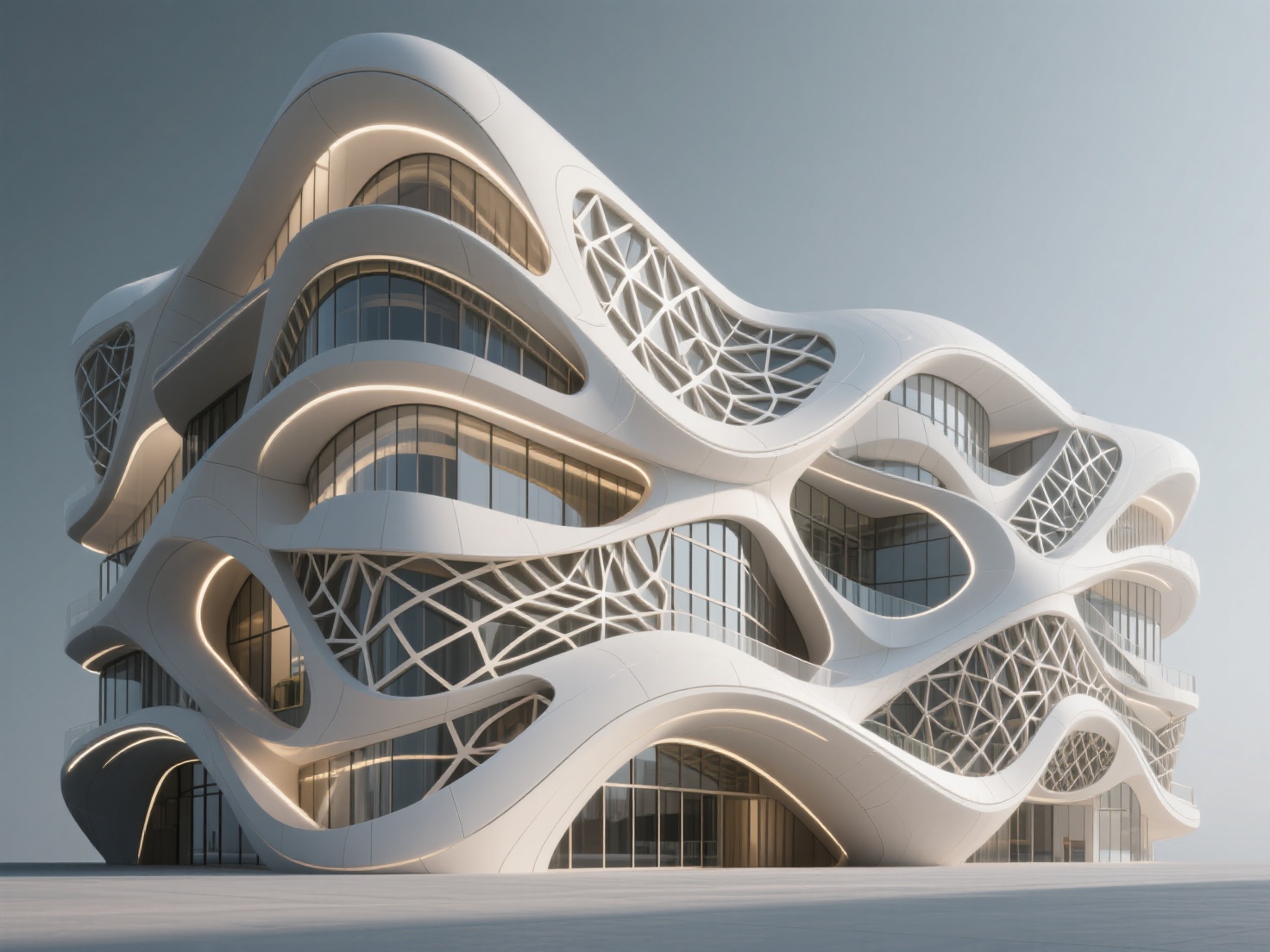
Modern skyscrapers often feature intricate, non-standard facades. Parametric design allows architects to map thousands of unique panels onto a curved surface seamlessly. The algorithms automatically calculate the exact dimensions and angles for each individual panel, making fabrication possible.
Structural Optimization
By running physics simulations through computational tools, architects can identify where a structure experiences the most stress. The software can then automatically thicken the material in high-stress areas and thin it out where it isn’t needed, resulting in organic, lightweight, and highly efficient structures.
Environmental Performance Analysis
With tools like Ladybug in Grasshopper, designers can input real-world climate data. An algorithm can automatically adjust the angle of exterior louvers across a building’s facade based on the sun’s trajectory, optimizing natural light while minimizing solar heat gain.
Best Practices for Mastering Parametric Design
The learning curve for computational tools can be steep for architecture students. Here are a few best practices to ensure success:
- Focus on Logic Before Software: Before opening Grasshopper, sketch out your logic on paper. What are the inputs? What are the steps? What is the desired output?
- Master Data Trees Early: The most common stumbling block in Grasshopper architecture is mismanaging lists and data trees. Dedicate time to understanding how data is grouped and grafted.
- Keep Your Scripts Organized: A complex visual script can quickly turn into “spaghetti code.” Use groups, labels, and color-coding to make your scripts readable for yourself and your team.
- Start Small: Don’t attempt to design a Zaha Hadid-style stadium on day one. Start by automating simple tasks, like arraying columns along a complex curve.
Bridging the Gap: Complementing Parametric Models with AI
While tools like Grasshopper excel at generating macro-scale building forms and structural logic, architecture is ultimately experienced at the human scale. Populating a parametrically designed space with detailed, high-fidelity components—such as bespoke furniture, complex artistic reliefs, or contextual site elements—can be incredibly time-consuming.
This is where AI-powered tools come in. Integrating Hitem3D into your architectural workflow bridges the gap between generative form-finding and rapid asset creation.
Hitem3D is a next-generation AI-powered 3D model generator. Built on the proprietary Sparc3D (high precision) and Ultra3D (high efficiency) models, it transforms simple 2D images into production-ready 3D models. Here is how it enhances your workflow:
- Rapid Asset Generation: Need a complex sculpture for your parametric plaza? Use Hitem3D’s Image to 3D feature. Simply upload a single or multi-view image, and the AI will generate a model with full geometric accuracy, complete with invisible parts reconstruction (calculating the hidden structures beyond the visible surface).
- True Architectural Materials: Hitem3D delivers 4K PBR-ready textures utilizing De-Lighted Texture technology. This intelligently removes baked-in lighting and shadows from the source image, providing true relightable materials that respond perfectly to the sun and artificial lights in your Rhino or Revit rendering engines.
- Physical Prototyping: If you need to physically present your parametric concept, Hitem3D’s models feature print-ready geometry with sharp edges. It even offers one-click direct export to Bambu Studio and OrcaSlicer for seamless 3D printing.
- Risk-Free Iteration: Architectural design requires trial and error. Hitem3D offers a Free Retry system, allowing you to regenerate results without wasting additional credits.
By exporting these AI-generated models in formats like GLB, OBJ, STL, FBX, or USDZ, you can effortlessly drop them into your computational design environment, saving hours of manual modeling.
Conclusion
The integration of parametric architecture and computational design has forever changed the way we conceptualize and construct buildings. By mastering tools like Grasshopper and Dynamo, architecture students and designers can push the boundaries of generative architecture, creating forms that are as structurally and environmentally efficient as they are visually stunning.
As the industry evolves, the most successful designers will be those who combine computational logic with cutting-edge AI. By pairing your algorithmic structures with rapid, high-fidelity asset generation, you can drastically reduce your modeling time and elevate the quality of your presentations.
Ready to bring your architectural visions to life with next-gen AI? Explore the power of intelligent 3D generation today.
Create For Free -> hitem3d.ai/create
Frequently Asked Questions (FAQ)
What is the difference between parametric and generative architecture?
While often used interchangeably, parametric architecture relies on predefined rules and parameters set by the designer to manipulate forms. Generative architecture takes this a step further, often using algorithms and sometimes AI to generate thousands of design options based on constraints, from which the designer selects the best outcome.
Is Grasshopper difficult to learn for architecture students?
Grasshopper has a learning curve, primarily because it requires a shift from “drawing” to “logical programming.” However, because it is a visual language, it is far more accessible than writing raw code. With consistent practice and by focusing on data structures, students can become proficient within a few months.
How does computational design architecture improve sustainability?
Computational tools allow architects to simulate environmental factors—such as wind flow, solar radiation, and daylighting—early in the design phase. By linking these simulations to parameters, the building’s form or facade can automatically adjust to minimize energy consumption and maximize natural comfort.