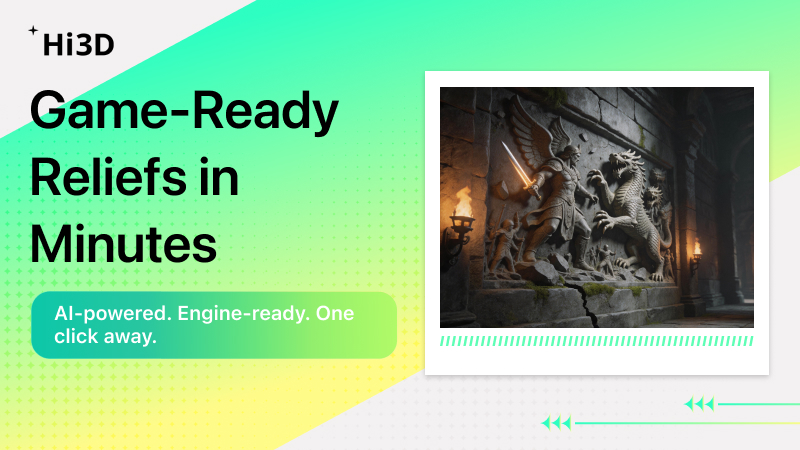
Upload a reference image. Get a 3D relief model. Drag it into Unity or Unreal. No sculpting. No retopology. No baking.
The Pain Points of Game Asset Creation
If you’ve ever worked on game environment art, you know these situations all too well:
You want to add an ancient relief mural to a wall – either hire an outsourced modeler or spend hours hand-sculpting details. Expensive and time-consuming.
You need a set of magic runestone pillars – repetitive work that kills your wrists.
You need a metal armor decorative piece – you spend days in ZBrush sculpting tiny raised and recessed details just to get that one element right.
The traditional pipeline:
Concept → Mid-poly → High-poly sculpting → Retopology → UV → Baking → Engine import
For a complex relief wall, this can take 2 to 5 working days.
AI Is Changing This
Hi3D’s 3D relief generator is built specifically to solve one problem: quickly generating detailed planar or curved decorative assets.
All you need is:
- One reference image (hand-drawn sketch, AI-generated art, or even a photo)
- A few minutes
- Export to GLB and drag it directly into Unity or Unreal
No sculpting. No retopology.
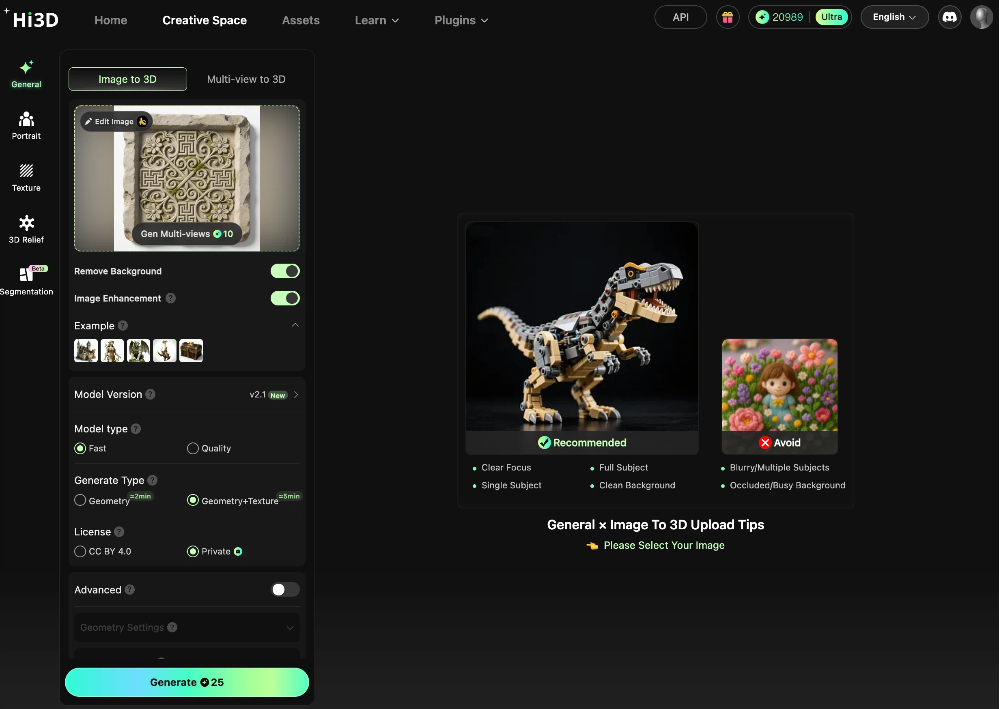
Two Core Modes Covering Common Game Relief Needs
Mode 1: Convex – Metal Armor, Relief Decorations, Pillar Patterns
Use cases:
- Relief patterns on character armor
- Relief columns and door frame decorations in scenes
How to use Hi3D:
- Upload a pattern reference image (black-and-white line art works best)
- Select Convex mode
- Adjust thickness and detail depth
- Export
Result: The model has clear raised relief details. Add a simple material in your engine, and you get instant 3D depth.
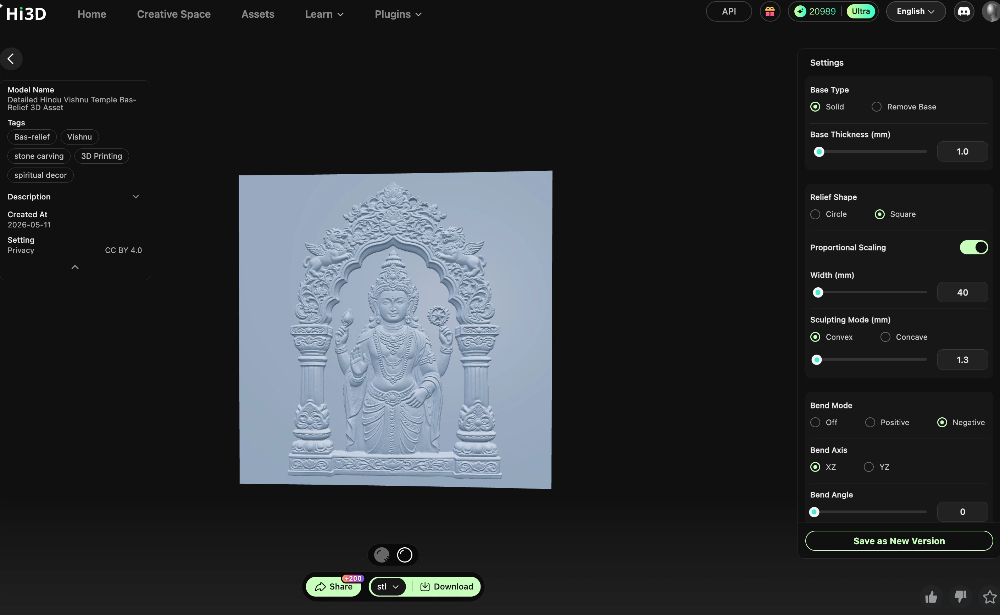
Mode 2: Concave – Stone Inscriptions, Magic Runes, Worn Wall Surfaces
Use cases:
- Ancient tomb stone carvings
- Magic circles / rune stones
- Sunken marks that suggest erosion and age
How to use Hi3D:
- Upload a rune or inscription image
- Select Concave mode
- Control the sunken depth (0.5–1.3mm)
- Export GLB
Result: Simulates the “sunken-in” look of stone carvings. Perfect for ruins, ancient civilization, and dark fantasy game environments.
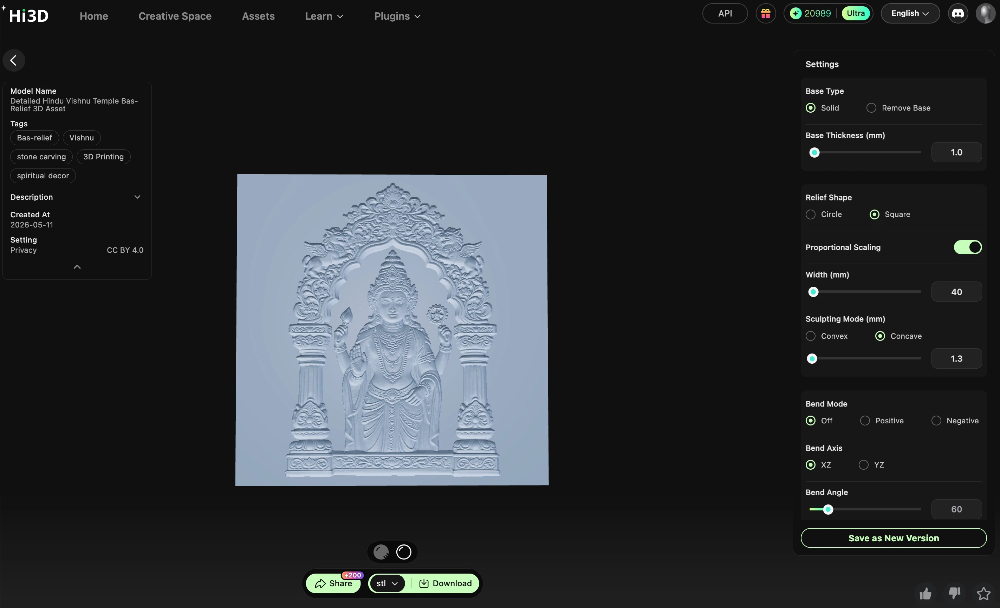
Bend Mode: Wrap Your Relief Onto Curved Surfaces
Not everything in games is flat.
Hi3D’s bend mode lets you wrap a flat relief onto cylinders, curved walls, shield surfaces, and more.
Examples:
Want a pillar covered in runes? Upload rune image → generate relief → turn on bend mode → wrap it around the cylinder.
Want a shield with an embossed pattern? Same process – takes seconds.
| Workflow Step | Traditional Method | With Hi3D |
|---|---|---|
| High-poly creation | Hours to days of manual sculpting | Upload image, generate in seconds |
| Retopology + Baking | 1–2 hours | Not needed – direct low-poly + detail output |
| Format conversion | Export FBX, then tweak | Direct GLB export – native engine support |
| Iteration | Remake the high-poly model | Change the image, regenerate in one minute |
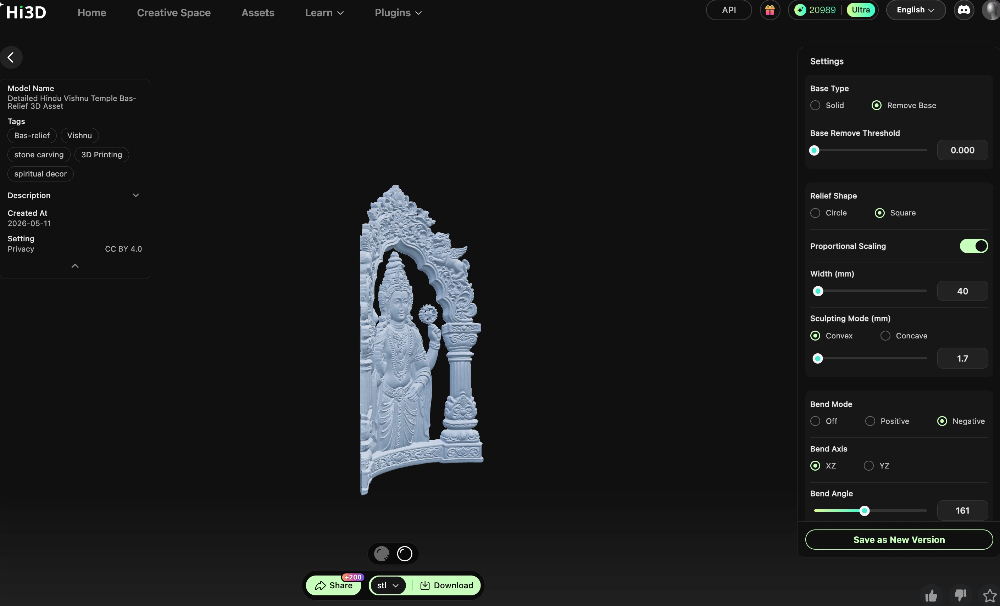
Who Is This For?
Indie Game Developers
Tight budget? Can’t afford high-end asset packs or outsourcing. Hi3D helps you create environment details at low cost.
Game Art Outsourcers / Freelancers
Relief commissions used to mean high manual labor quotes and long lead times. Use AI-generated results as a base or draft, then tweak slightly – double your efficiency.
3D Asset Store Creators
Batch-produce “sellable” small assets like runes, emblems, and pattern designs. List them on the Unity Asset Store or Unreal Marketplace.
Try It Now
If you’re making a game or want to sell assets for side income, take a few minutes to try:
- Find a pattern or rune reference image (hand-drawn, AI-generated, or any image works)
- Upload it to Hi3D’s 3D relief function
- Choose Convex or Concave mode and adjust parameters
- Export GLB and drag it into Unity or Unreal
Click the card on the right to sign up for free – generate your first game relief asset with AI right now.