The magic of modern cinema relies heavily on the seamless integration of computer-generated imagery (CGI) with live-action footage. Whether it is a towering kaiju, a sprawling futuristic cityscape, or a digital double performing a death-defying stunt, the foundation of these visual marvels begins with 3D modeling for film.
However, creating production-ready assets for blockbuster movies is not a solo endeavor. It requires a highly structured, multi-step workflow known as the VFX 3D pipeline. For 3D artists and visual effects students, understanding where modeling fits into this broader production ecosystem is crucial for building a successful career.
In this comprehensive guide, we will break down the complete film 3D production pipeline, explore industry standards, and share practical insights to elevate your 3D modeling VFX skills.
What is the VFX 3D Pipeline?
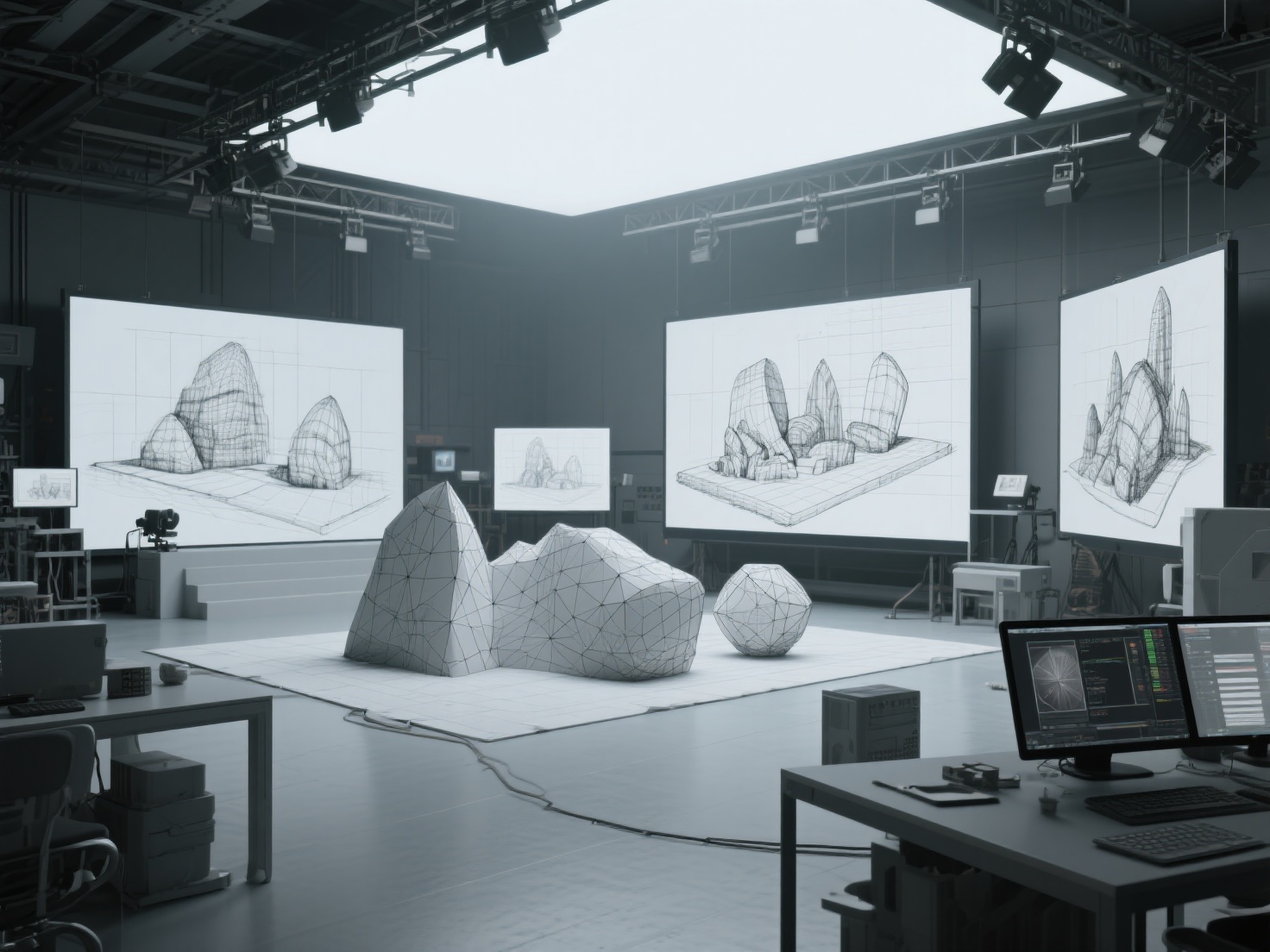
The VFX 3D pipeline is a systematic, step-by-step workflow used in film and television production to design, create, animate, and render 3D assets. It transforms initial 2D concept art into fully realized, photorealistic 3D objects that react accurately to digital lighting and physics, ultimately blending invisibly with live-action plates.
The Complete Film 3D Production Pipeline
Creating high-fidelity assets for film requires specialized artists handling different stages of the asset’s lifecycle. Here is the step-by-step breakdown of the standard VFX 3D pipeline.
1. Concept Art & Pre-Visualization
Before a single polygon is pushed, the asset must be designed. Concept artists create detailed 2D illustrations and orthographic references (front, side, and top views) of characters, creatures, or environments. During Pre-Visualization (Previs), low-quality proxy models are often used to block out camera angles and scene pacing before heavy production begins.
2. High-Poly Modeling & Sculpting
This is where 3D modeling for film truly begins. Artists use software like Maya or ZBrush to block out the base mesh and sculpt intricate details.
- The Goal: Uncompromised visual fidelity. Unlike video games, film models often boast millions of polygons to capture every wrinkle, pore, and scratch.
- Workflow Acceleration: Traditionally, creating a base mesh from concept art takes days. Today, AI-powered 3D generators can instantly turn 2D concept images into dense, mathematically accurate base meshes, saving artists critical time in the initial blocking phase.
3. Retopology (Low-Poly Base)
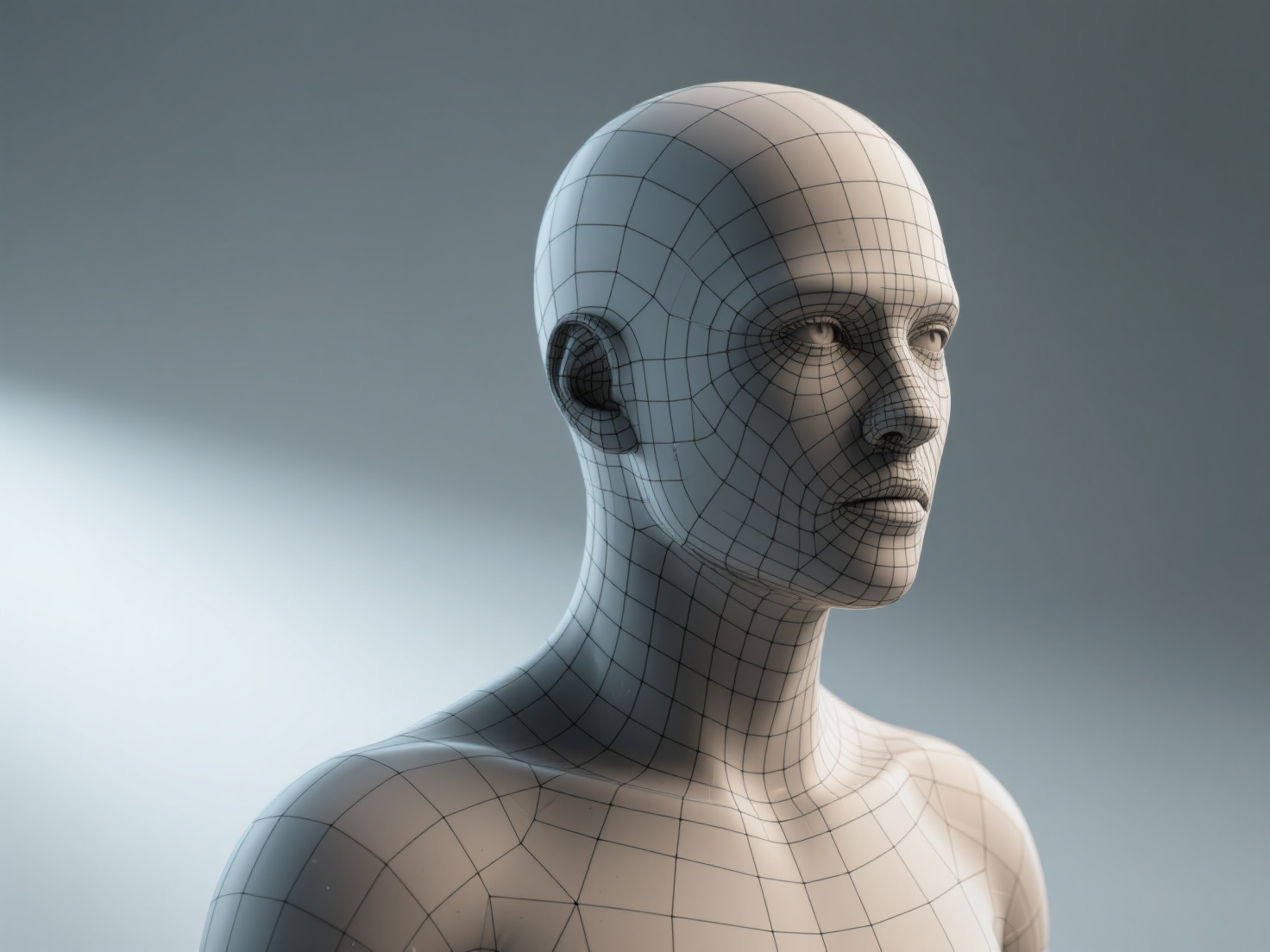
A high-poly sculpt of 10 million polygons is impossible to animate. Retopology is the process of drawing a new, optimized grid of polygons (mostly quads) over the high-poly sculpt. This ensures proper edge flow—meaning the 3D model will deform and bend naturally at the joints without unnatural stretching or artifacting during animation.
4. UV Unwrapping
Before an asset can be painted, it must be flattened into a 2D space, much like peeling an orange and laying the skin flat. UV unwrapping dictates how 2D texture maps will wrap around the 3D geometry. In film 3D production, artists often use UDIMs (multiple UV tiles) to apply ultra-high-resolution textures to different parts of a single model.
5. Texturing & Shading (PBR Workflows)
Texturing brings the model to life. Artists use software like Substance 3D Painter or Mari to paint color (Albedo), reflectiveness (Roughness), and metallic properties.
- Displacement Maps: The ultra-fine details from the high-poly sculpt (from step 2) are baked into displacement and normal maps. At render time, these maps physically displace the low-poly geometry to recreate the high-poly look.
- PBR (Physically Based Rendering): Textures must react accurately to light. A critical requirement here is ensuring textures do not have baked-in lighting or shadows, which would conflict with the scene’s actual lights.
6. Rigging & Skinning
A static model cannot move on its own. Rigging involves building a digital skeleton (joints and bones) inside the model. Skinning is the process of binding the 3D mesh to this skeleton, telling the software how much influence a specific bone has on the surrounding polygons. Riggers also create complex facial controls (blend shapes) for precise emotional expressions.
7. Animation & Simulation
Animators take the rigged model and keyframe its movements to match the director’s vision. For 3D modeling VFX, this stage also includes FX simulations—such as cloth tearing, hair blowing in the wind, or muscle jiggle, all of which rely on the clean topology created during step 3.
8. Lighting & Shading
Lighting artists place digital lights to match the exact lighting conditions of the live-action set (often using HDRI maps captured on location). The 3D model’s shaders (materials) are fine-tuned to ensure they reflect, refract, and absorb light precisely as they would in the real world.
9. Rendering & Compositing
The 3D scene is calculated into 2D images using powerful render engines like Arnold, V-Ray, or RenderMan. These renders are broken down into multiple passes (diffuse, specular, shadows, depth). Finally, compositors use software like Nuke to layer these 3D renders over the live-action footage, applying color grading, motion blur, and film grain to make the final shot seamless.
Industry Standard File Formats
In a complex pipeline, assets must move smoothly between different software packages. Here are the standard formats used:
| Format | Primary Use Case in VFX | Key Benefit |
|---|---|---|
| OBJ | Static 3D geometry transfer | Universal compatibility across almost all 3D software. |
| FBX | Animated assets and rigs | Retains skeletal hierarchies, skin weights, and basic materials. |
| Alembic (.abc) | Baked animation cache | Transfers complex vertex animations without needing the rig; highly stable for lighting. |
| USD / USDZ | Universal Scene Description | Developed by Pixar, this is the modern standard for collaborative, non-destructive 3D pipelines. |
Real-World Applications of 3D Modeling in VFX
How exactly are these models utilized in blockbuster cinema?
- Digital Doubles: When a stunt is too dangerous for an actor, artists build a hyper-realistic 3D replica. This requires immaculate facial modeling, photogrammetry, and flawless texturing to fool the audience.
- Creature & Monster Design: From dragons to alien invaders, creature modeling demands an deep understanding of real-world anatomy, translated into fantastical designs.
- Set Extensions & Environments: Often, only a small portion of a physical set is built. 3D modelers create massive digital background environments—like ruined cities or alien landscapes—that seamlessly blend with the practical foreground elements.
Best Practices for VFX 3D Modeling
To ensure your models survive the rigors of a professional VFX 3D pipeline, keep these best practices in mind:
- Work in Real-World Scale: Always model in accurate real-world units (e.g., centimeters). Render engines calculate light falloff and depth of field based on physical scale; a model that is accidentally 100 meters tall will render with incorrect lighting physics.
- Maintain Quad-Based Topology: Avoid N-gons (polygons with 5 or more sides) and minimize triangles. Pure quad-based topology is essential for smooth subdivision and predictable deformation during rigging.
- Strict Naming Conventions: A single VFX shot might contain thousands of assets. Adhere strictly to studio naming conventions (e.g.,
CHAR_Dragon_Body_GEO_v01) to prevent pipeline crashes. - Gather Exhaustive Reference: Never model entirely from memory. Collect extensive real-world photographic references for materials, wear-and-tear, and structural logic.
Conclusion: Accelerating Your VFX Pipeline with AI
Mastering 3D modeling for film requires an intimate understanding of the entire production ecosystem. From the initial concept art to the final composited frame, every step in the film 3D production pipeline relies on the foundational geometry created by the modeling department.
However, the industry’s biggest pain point has always been time. Blocking out base meshes and meticulously generating clean, high-resolution textures can consume weeks of an artist’s schedule. This is where next-generation AI tools are revolutionizing the 3D modeling VFX workflow.
If you are looking to dramatically accelerate your asset creation pipeline, Hitem3D is the ultimate AI-powered 3D model generator. Built on the proprietary Sparc3D (high precision) and Ultra3D (high efficiency) models, Hitem3D bridges the gap between concept and 3D reality.
Why VFX artists trust Hitem3D:
- Invisible Parts Reconstruction: Unlike basic AI that creates hollow shells, Hitem3D accurately infers and reconstructs hidden structural geometry beyond the visible surface, providing a robust base mesh.
- Production-Ready Resolution: Generate incredibly detailed models with resolutions up to 1536³ Pro (up to 2M polygons), outputting cleanly to OBJ, FBX, GLB, and USDZ.
- De-Lighted 4K PBR Textures: Hitem3D intelligently removes baked-in lighting and shadows from the source image, providing true, relightable PBR materials that behave perfectly in Arnold or V-Ray.
- Risk-Free Workflow: With the unique Free Retry system, you can regenerate results without spending additional credits until the asset matches your vision.
Ready to streamline your modeling workflow and focus on the high-level artistic details that make your shots cinematic?
Frequently Asked Questions (FAQ)
What software is used for 3D modeling in film and VFX?
The industry standards for VFX modeling are Autodesk Maya for poly-modeling and scene assembly, and ZBrush for high-resolution organic sculpting. For texturing, Substance 3D Painter and Mari are widely used, while Blender is increasingly being adopted by indie studios and freelancers.
How long does it take to make a 3D model for a movie?
The timeline varies drastically depending on complexity. A simple background prop might take a few days, but a highly detailed hero character or creature can take several weeks to months to model, retopologize, UV unwrap, and texture to a cinematic standard.
What is the difference between game and film 3D modeling?
The primary difference is the polygon count and rendering method. Games render in real-time (usually 60 frames per second), requiring highly optimized, low-poly models. Film models are pre-rendered, meaning they can consist of millions of polygons and utilize ultra-heavy displacement maps and UDIM textures for maximum realism.
Why is retopology necessary for VFX?
High-poly sculpts have messy, dense geometry that is impossible to animate smoothly. Retopology creates a clean, quad-based grid that allows the model to bend and deform naturally at the joints, while also making the file lightweight enough for animators to work with in real-time in the viewport.