


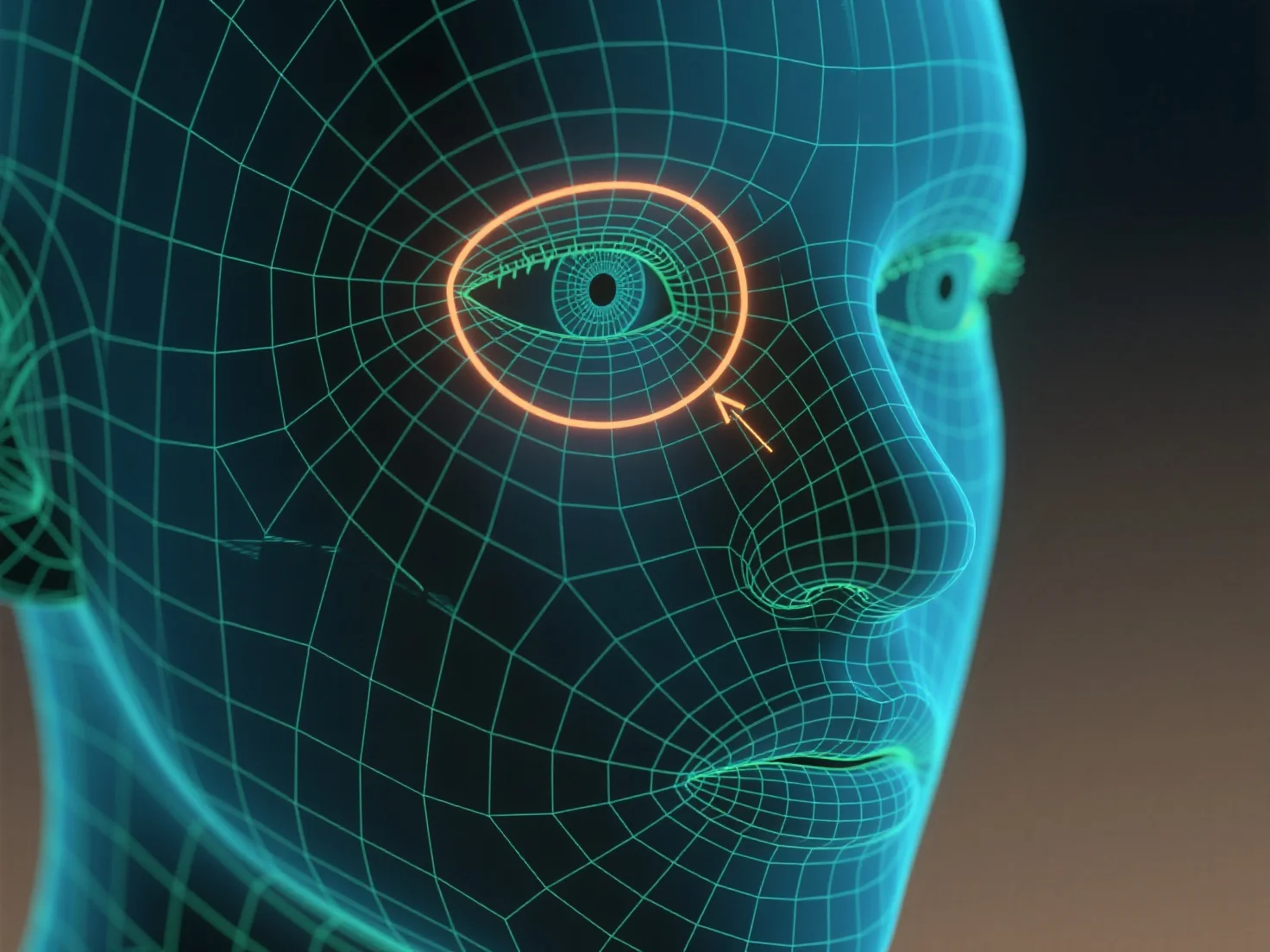
Edge loops are used to outline contours and control mesh deformation when defining character features like eyes and mouth.
Edge loops, continuous rings of edges around a 3D model, follow the natural curves of features—such as the circular shape of eyes or the curved outline of a mouth—to shape their geometry. This structure ensures the mesh deforms smoothly during character movements (e.g., blinking, smiling) by distributing tension evenly along the loops.
For beginners, start with simple edge loops around the eye socket and lip line, then adjust loop density to match feature detail, helping build clear, animatable facial features.